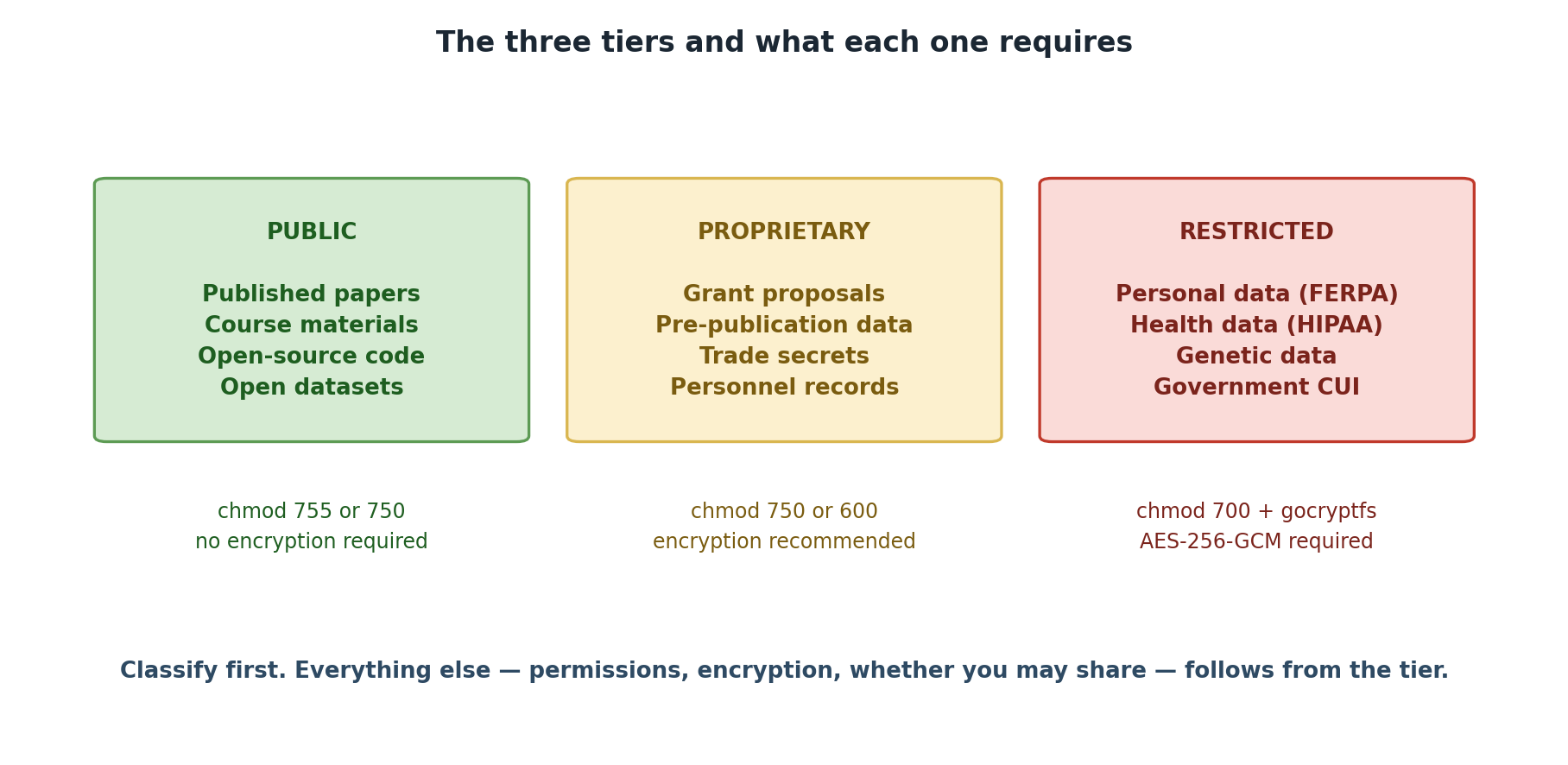
Image 1 of 1: ‘The three data tiers side by side. PUBLIC includes published papers, course materials, open-source code and open datasets, using chmod 755 or 750 with no encryption required. PROPRIETARY includes grant proposals, pre-publication data, trade secrets and personnel records, using chmod 750 or 600 with encryption recommended. RESTRICTED includes personal data under FERPA, health data under HIPAA, genetic data and government CUI, using chmod 700 plus gocryptfs with AES-256-GCM encryption required.’
Three tiers, and what each one obliges you to
do.
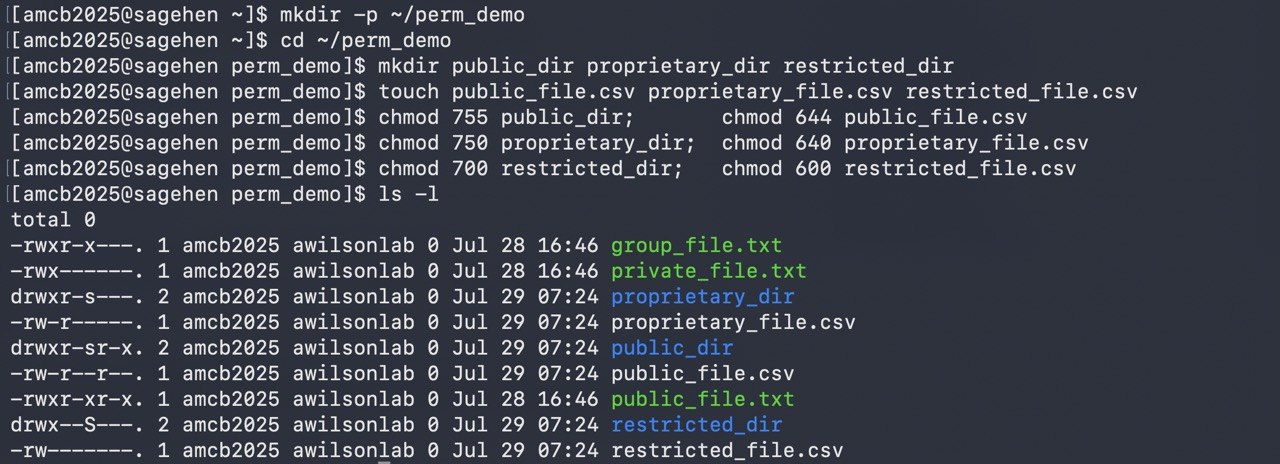
Figure 2
Image 1 of 1: ‘A terminal creating three directories and three CSV files, one per classification tier, and applying paired chmod commands: 755 and 644 for public, 750 and 640 for proprietary, 700 and 600 for restricted. The ls -l listing shows the resulting permission strings, with the directories carrying an inherited setgid bit.’
All three tiers demonstrated: directories and
files created and chmod-ed per tier — 755/644 PUBLIC, 750/640
PROPRIETARY, 700/600 RESTRICTED (which additionally requires gocryptfs).
Note Sagehen HPC sets the setgid bit on new directories, so your
ls -l will show an s where these examples show
plain modes.
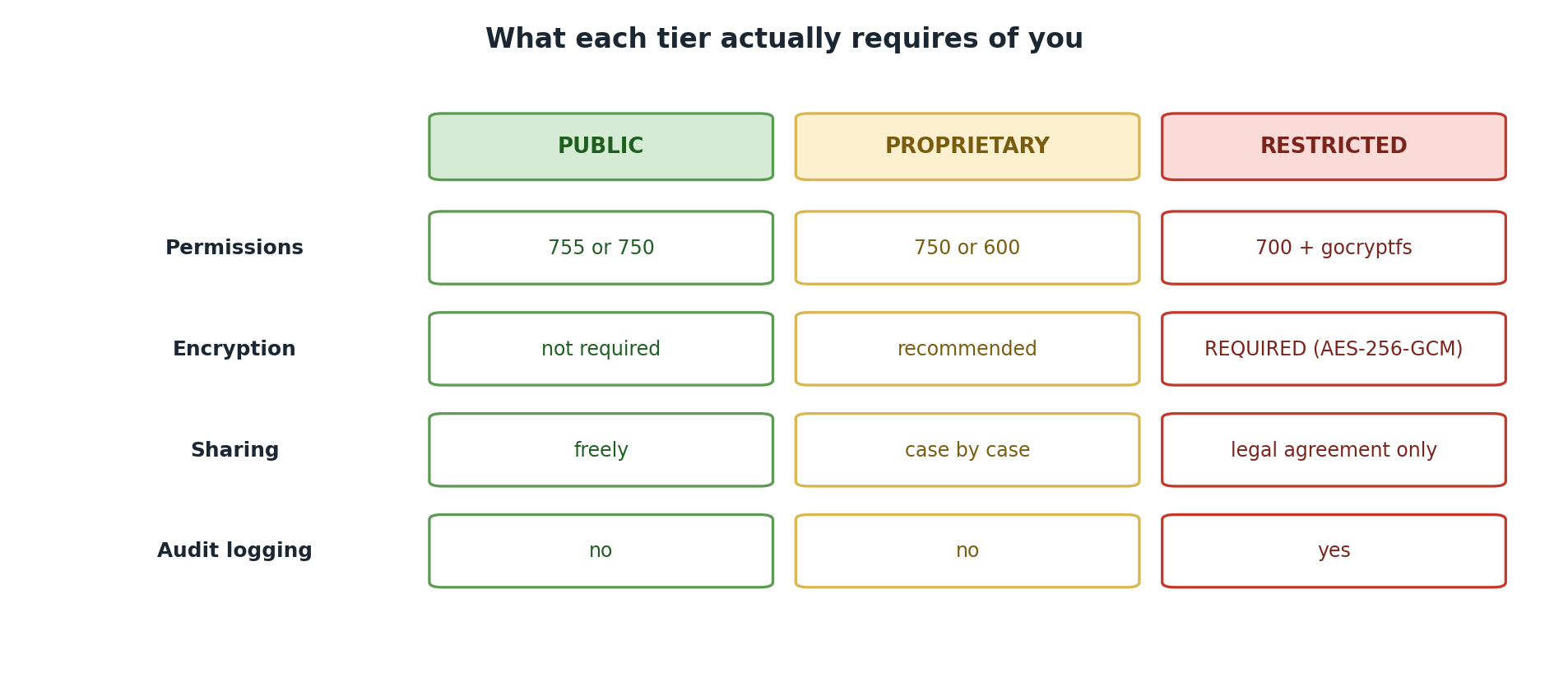
Image 1 of 1: ‘A table of handling requirements by tier. Permissions: 755 or 750 for PUBLIC, 750 or 600 for PROPRIETARY, 700 plus gocryptfs for RESTRICTED. Encryption: not required, recommended, and required with AES-256-GCM. Sharing: freely, case by case, and only under a legal agreement. Audit logging: no, no, and yes.’
The same four questions, answered differently
for each tier.
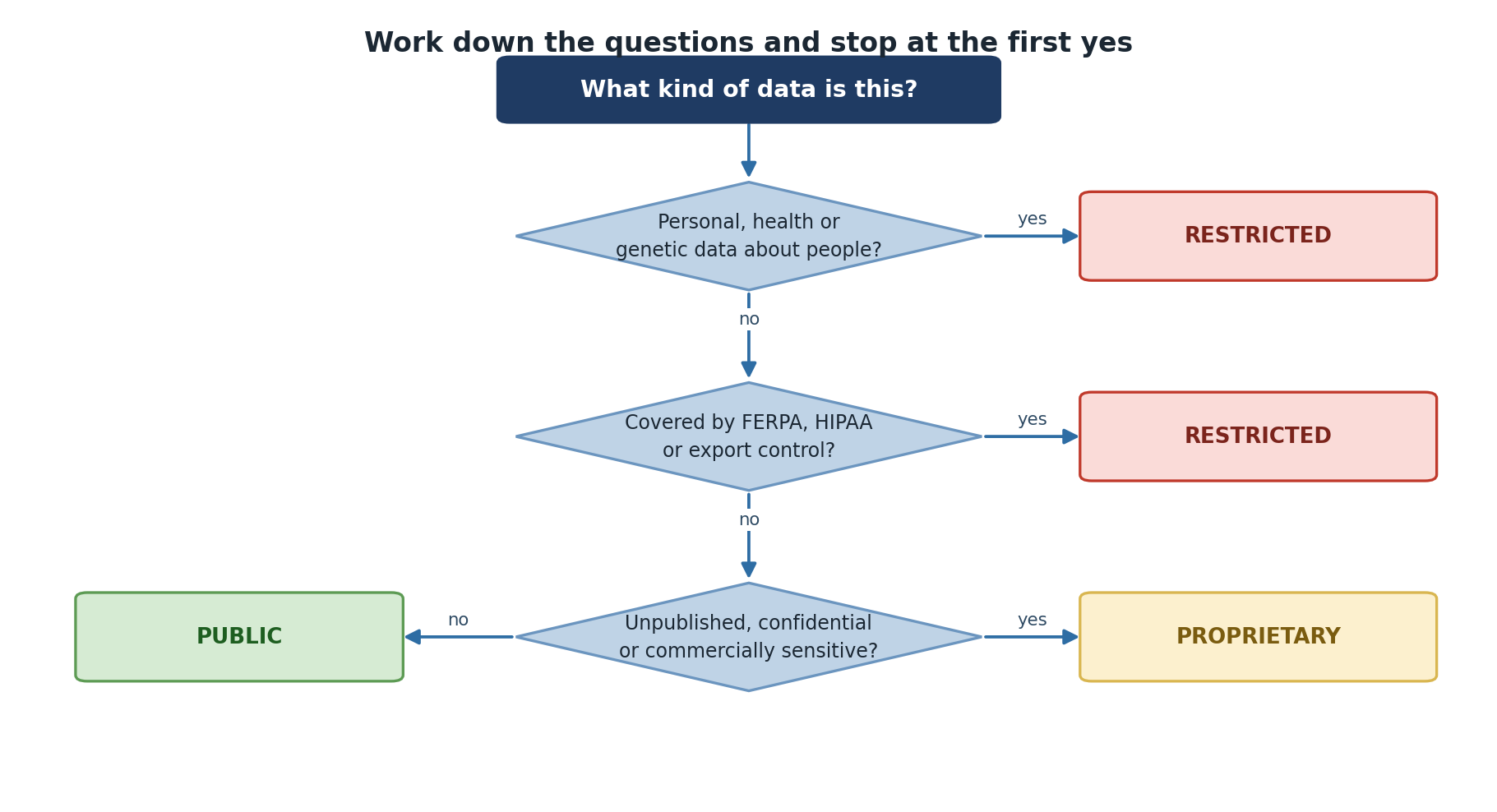
Image 1 of 1: ‘A decision tree. If the data is personal, health or genetic data about people, it is RESTRICTED. If it is covered by FERPA, HIPAA or export control, it is RESTRICTED. If it is unpublished, confidential or commercially sensitive, it is PROPRIETARY. Otherwise it is PUBLIC.’
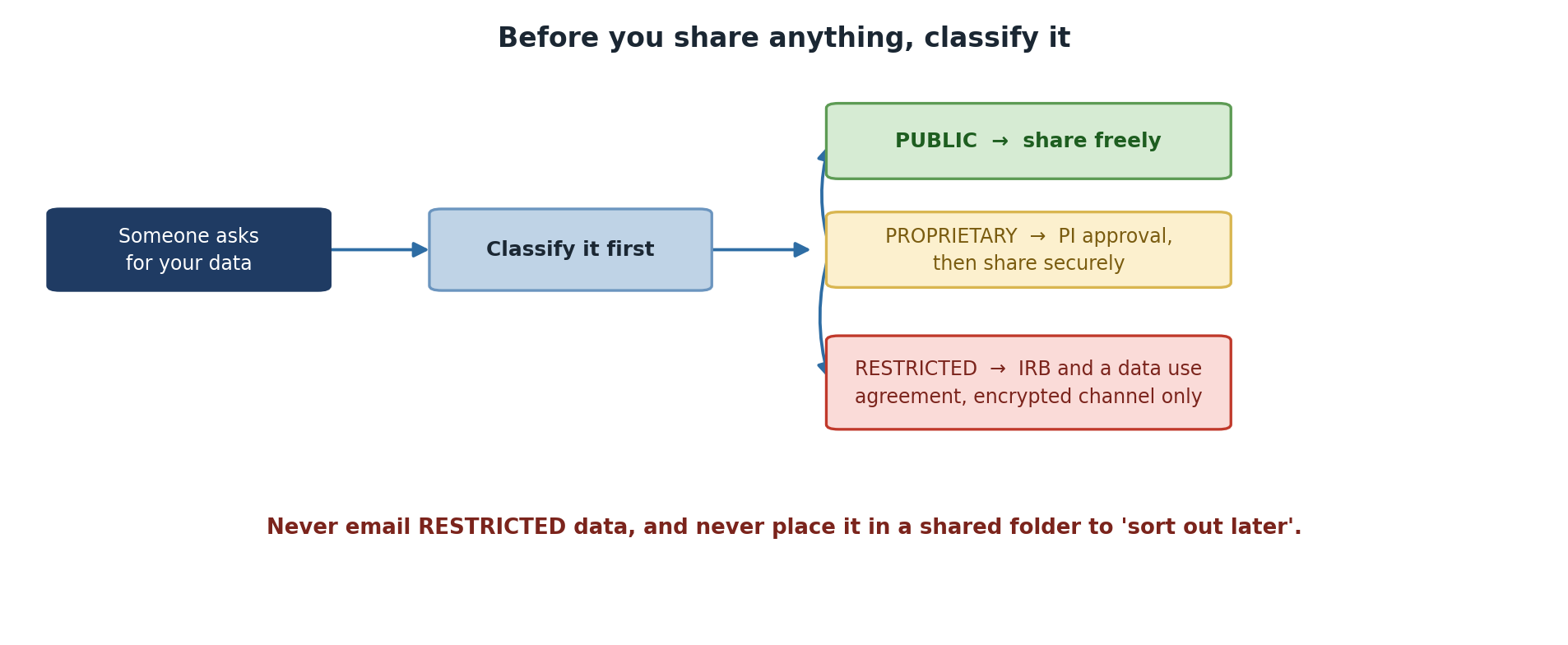
Image 1 of 1: ‘A flow beginning when someone asks for your data. Classify it first, then follow the tier: PUBLIC can be shared freely; PROPRIETARY needs PI approval and then a secure transfer; RESTRICTED needs IRB approval and a data use agreement, and may only travel over an encrypted channel. A warning says never to email RESTRICTED data or leave it in a shared folder to sort out later.’
Classify before you share, not after someone
asks.