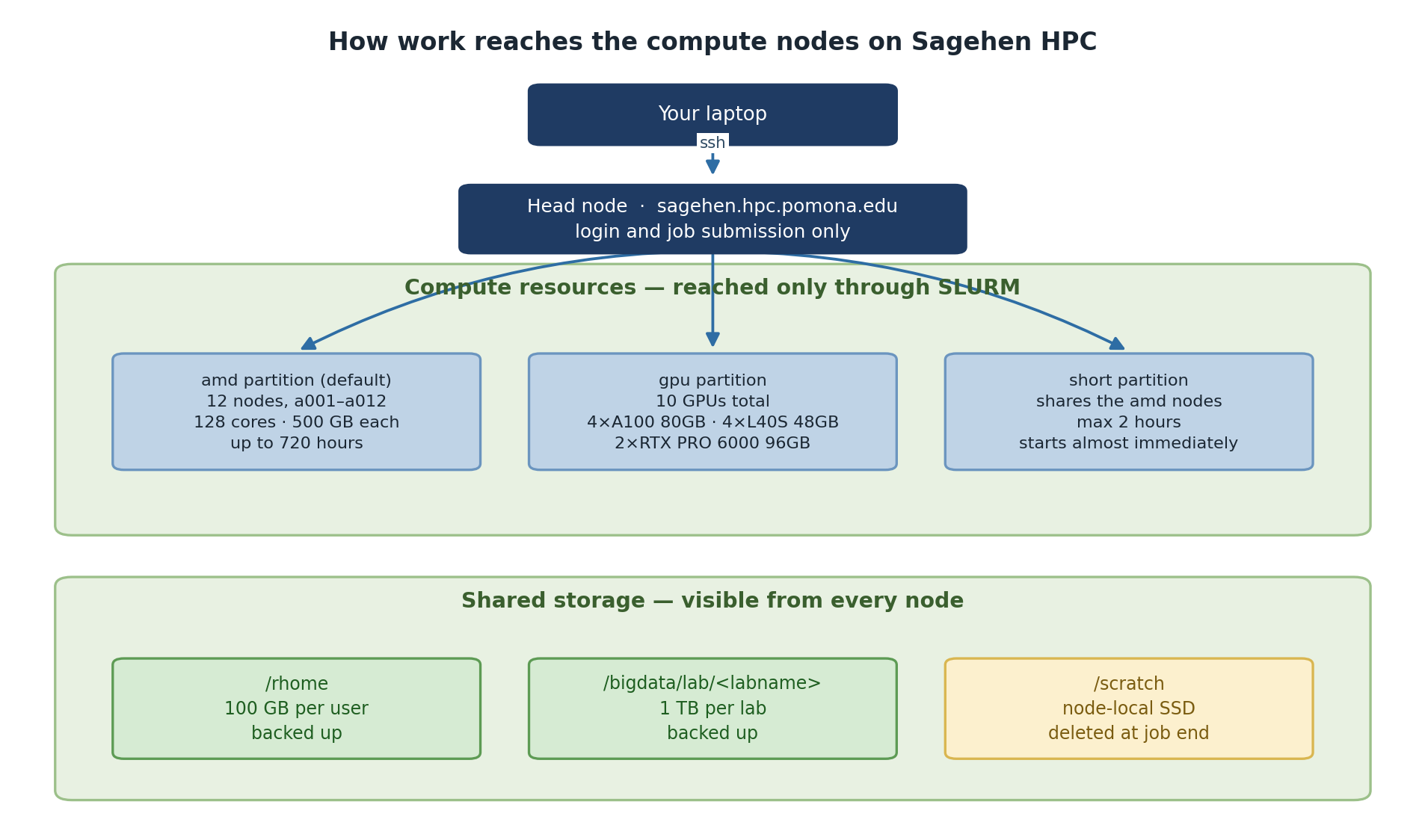
Image 1 of 1: ‘Diagram of Sagehen HPC. Your laptop connects by SSH to the head node at sagehen.hpc.pomona.edu, which is for login and job submission only. From there SLURM dispatches work to three partitions: amd, the default, with 12 nodes a001 to a012 of 128 cores and 500 GB each and up to 720 hours; gpu, with 10 GPUs in total made up of four A100 80GB, four L40S 48GB and two RTX PRO 6000 96GB; and short, which shares the amd nodes, is capped at 2 hours and starts almost immediately. Below, shared storage visible from every node: /rhome with 100 GB per user backed up, /bigdata/lab per lab with 1 TB backed up, and /scratch node-local SSD deleted at job end.’
The head node takes your submission; SLURM
decides which compute node actually runs it.
Figure 2
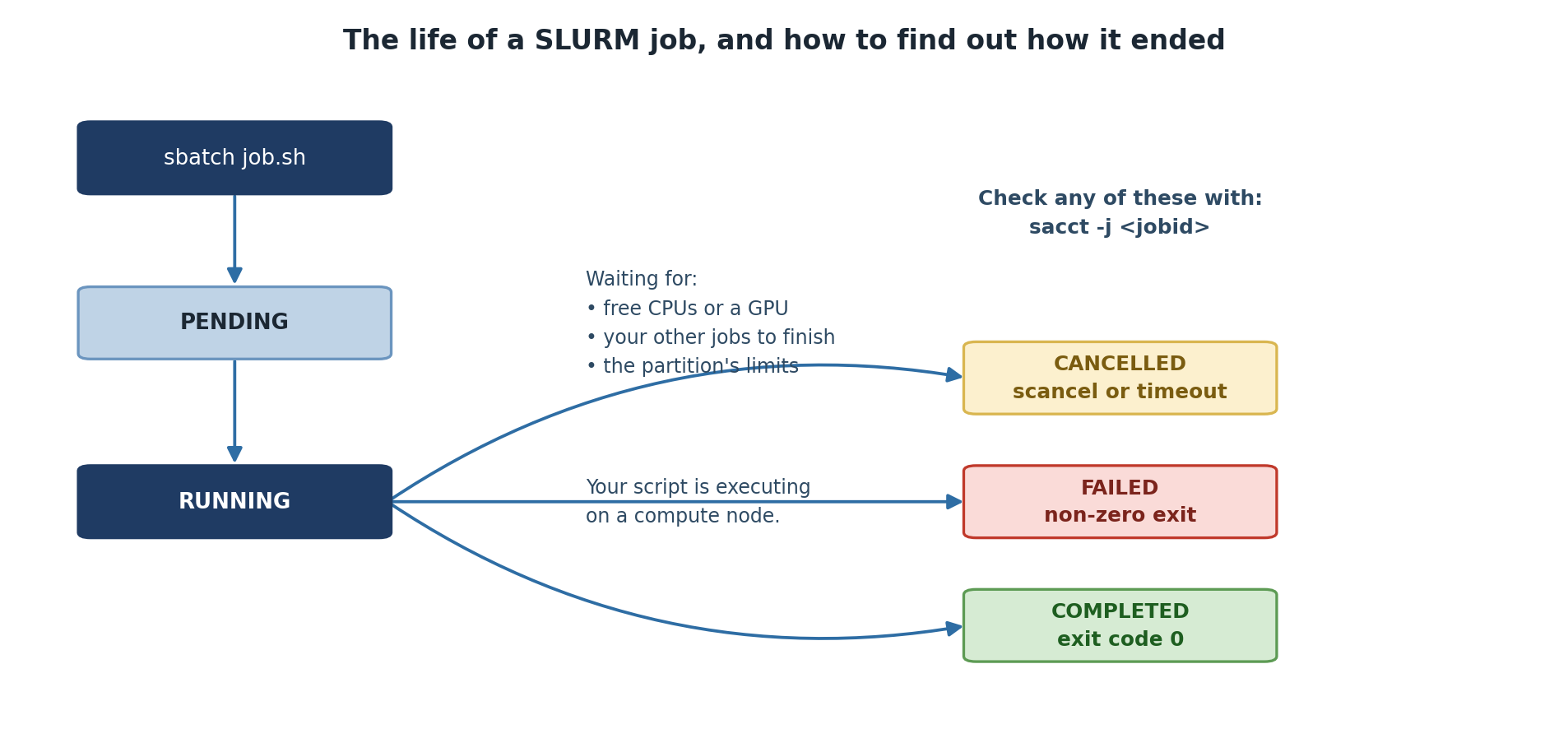
Image 1 of 1: ‘A job submitted with sbatch enters the PENDING state while it waits for free CPUs or a GPU, for your other jobs to finish, or for the partition limits to allow it. It then moves to RUNNING while the script executes on a compute node. From there it ends as COMPLETED with exit code zero, FAILED with a non-zero exit, or CANCELLED by scancel or a timeout. All three can be checked with sacct -j jobid.’
Every job ends in one of three states, and sacct
will tell you which.
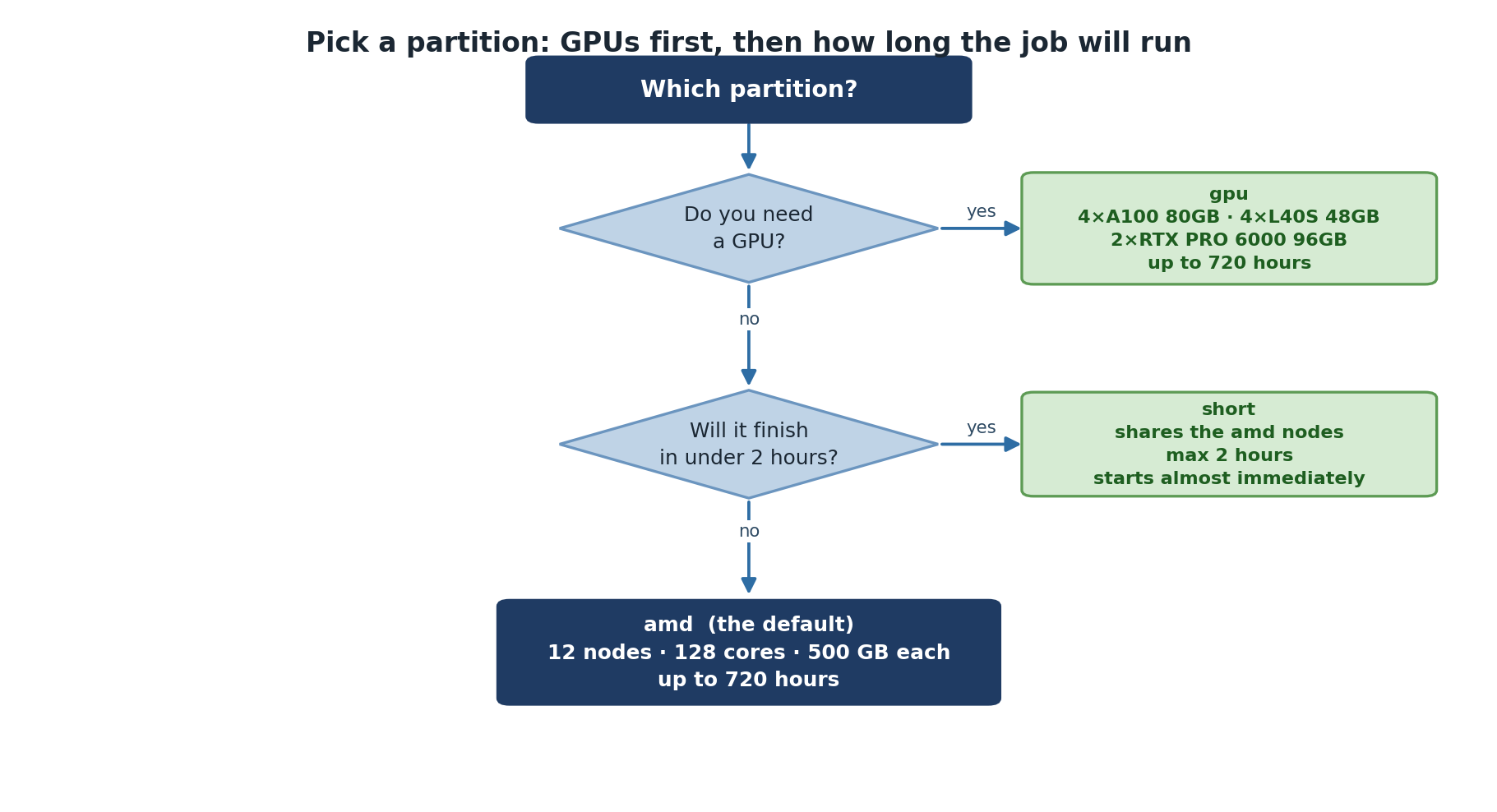
Image 1 of 1: ‘A decision tree for choosing a partition. If you need a GPU, use the gpu partition with four A100 80GB, four L40S 48GB and two RTX PRO 6000 96GB cards, allowing up to 720 hours. If not, ask whether the job will finish in under two hours; if it will, use short, which shares the amd nodes and starts almost immediately. Otherwise use amd, the default, with 12 nodes of 128 cores and 500 GB each and up to 720 hours.’
Two questions settle it: do you need a GPU, and
will the job finish inside two hours?
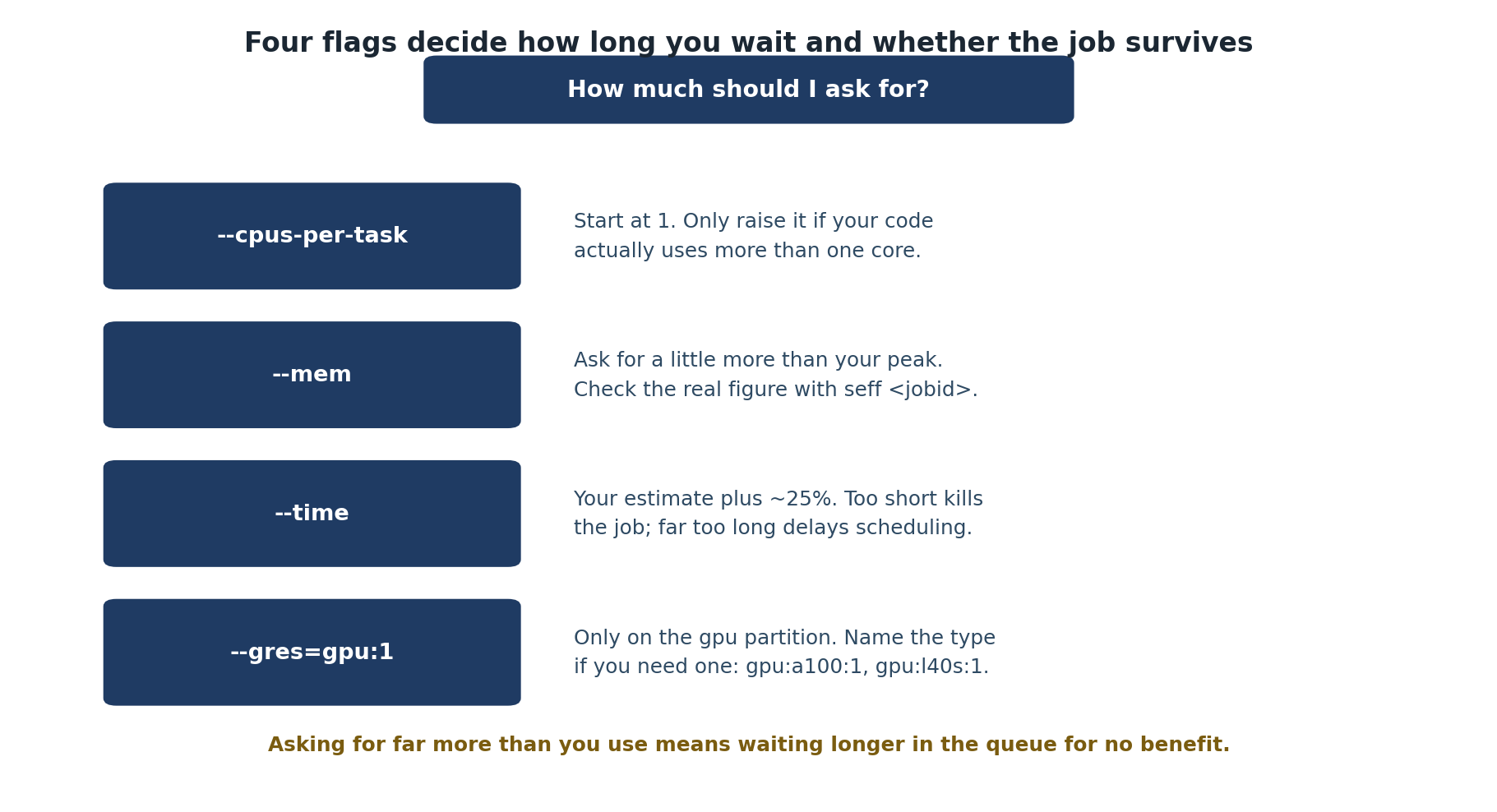
Image 1 of 1: ‘Four SLURM flags and guidance for each. --cpus-per-task: start at 1 and only raise it if your code actually uses more than one core. --mem: ask for a little more than your peak and check the real figure with seff. --time: your estimate plus about 25 percent, since too short kills the job and far too long delays scheduling. --gres=gpu:1: only on the gpu partition, naming the type if you need one such as gpu:a100:1 or gpu:l40s:1. A closing note warns that asking for far more than you use means waiting longer in the queue for no benefit.’
Four flags, and what each one costs you if you
get it wrong.
Image 1 of 1: ‘Terminal on Sagehen HPC showing squeue output for one user. Three jobs named demo1, demo2, and demo3 run on the short partition in state R for 25 seconds each, on nodes a001 and a002.’
Three running jobs as
squeue -u $USER shows them — state R, elapsed
time, and the node each landed on.
Figure 2
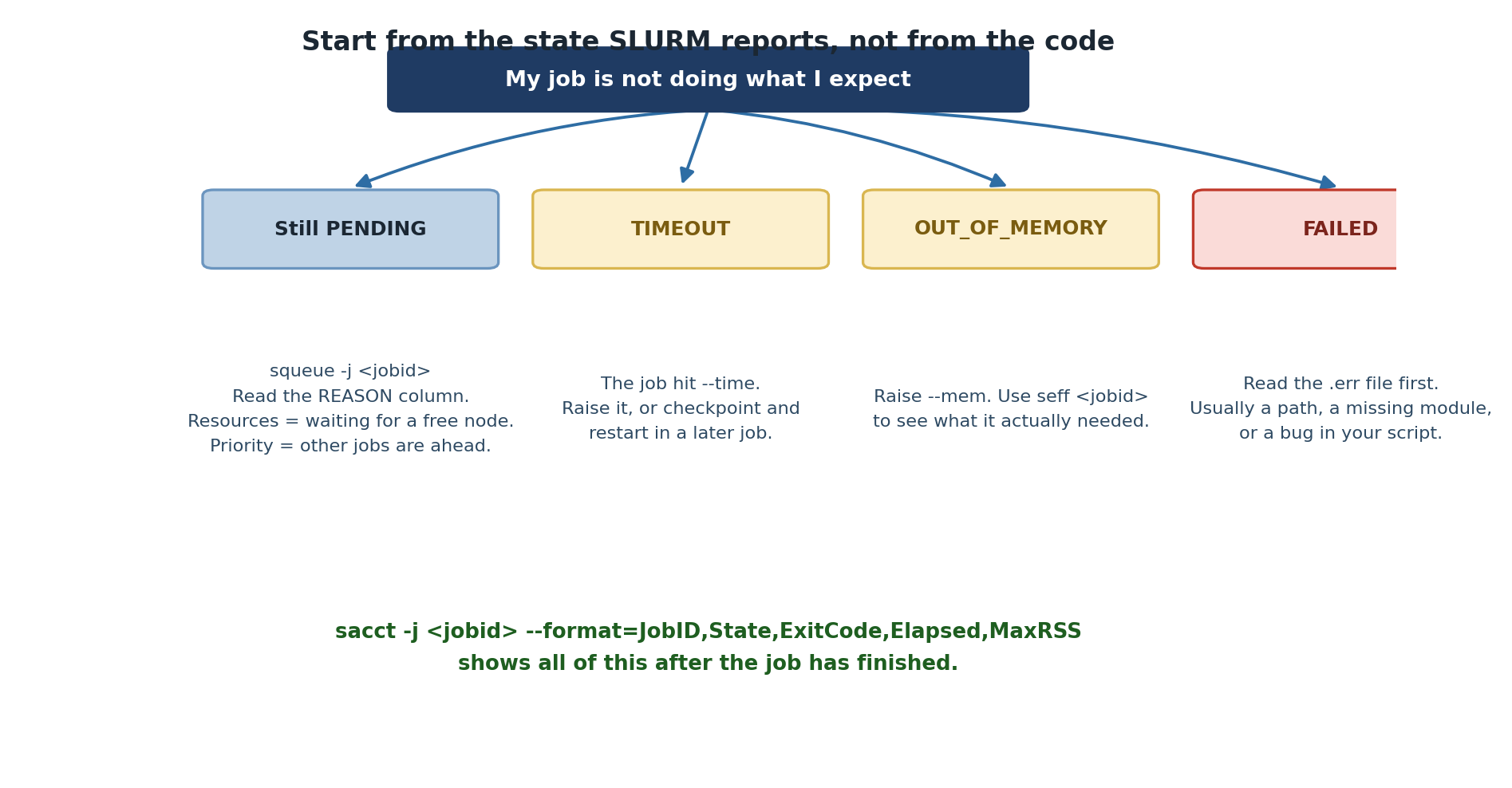
Image 1 of 1: ‘A troubleshooting map starting from the statement that a job is not doing what you expect. Four branches: still PENDING, where squeue and the REASON column tell you whether it is waiting for resources or behind other jobs in priority; TIMEOUT, meaning the job hit its --time limit; OUT_OF_MEMORY, meaning --mem was too low and seff will show what it needed; and FAILED, where the error file is the place to start. A closing line gives the sacct command that reports all of these once the job has finished.’
Start from the state SLURM reports, then work
backwards.
Figure 3
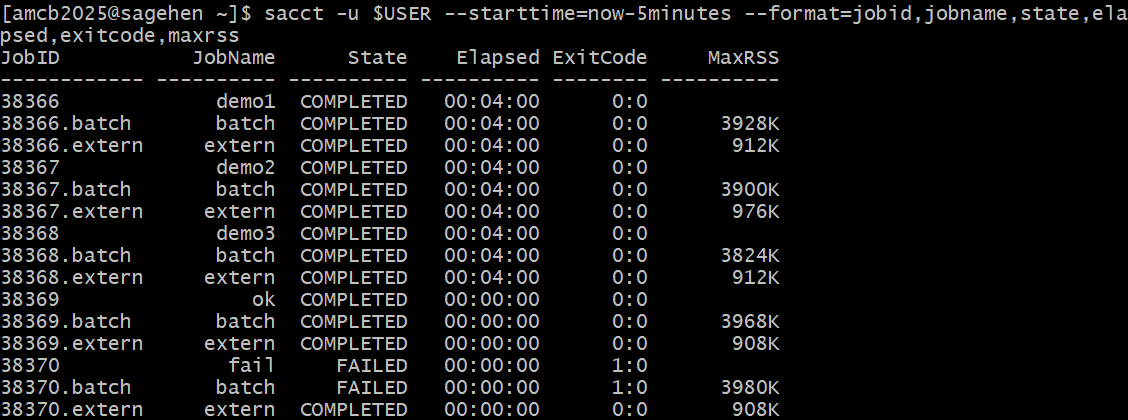
Image 1 of 1: ‘Terminal output of sacct filtered to the last five minutes. Jobs 38366 through 38369 show state COMPLETED with exit code 0:0, while job 38370 named fail shows FAILED with exit code 1:0. Each job lists batch and extern steps with MaxRSS values.’
sacct history with exit codes:
completed jobs show 0:0, the deliberately failing job shows
FAILED 1:0 (this run added
--starttime=now-5minutes to narrow the window).