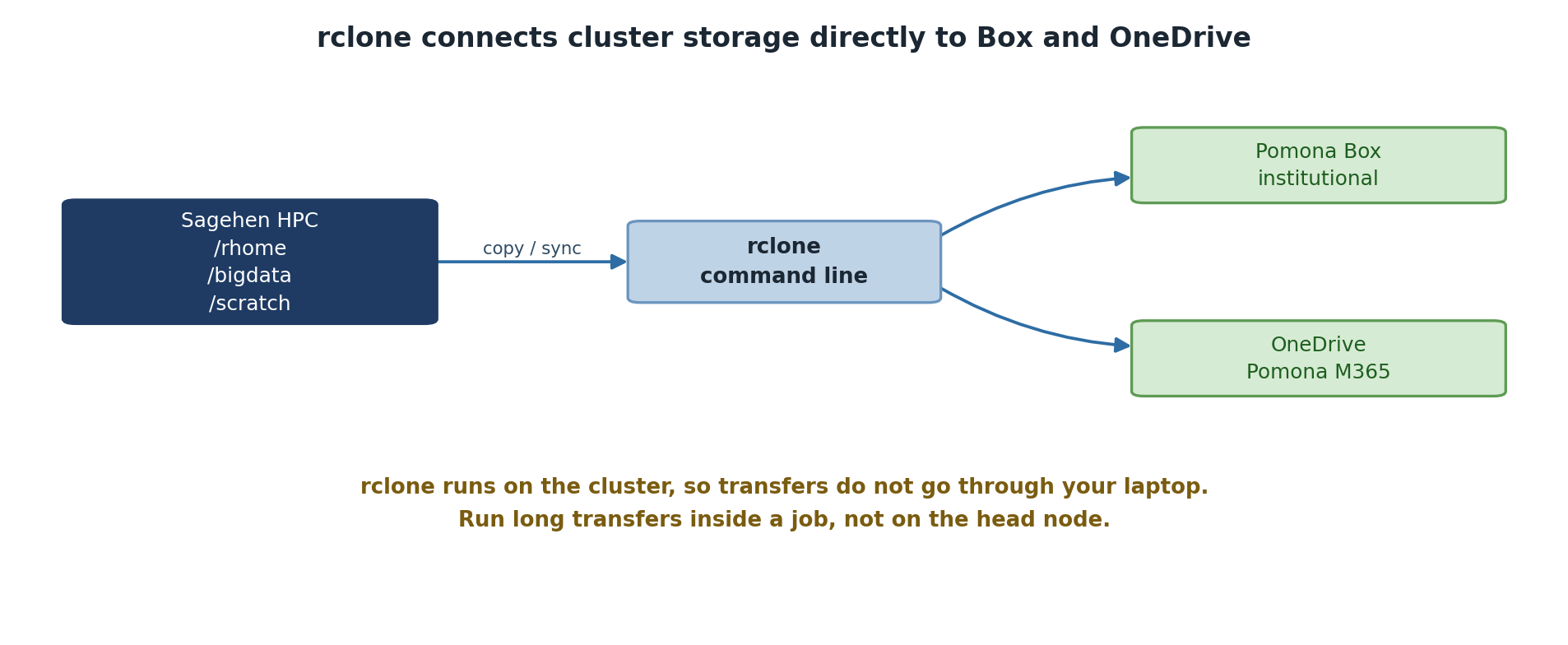
Image 1 of 1: ‘Sagehen HPC storage, covering /rhome, /bigdata and /scratch, connects through the rclone command-line tool to two cloud destinations: Pomona Box, the institutional service, and OneDrive on the Pomona Microsoft 365 tenant. A note explains that rclone runs on the cluster so transfers do not pass through your laptop, and that long transfers belong in a job rather than on the head node.’
rclone runs on the cluster, so your laptop is
not in the path.
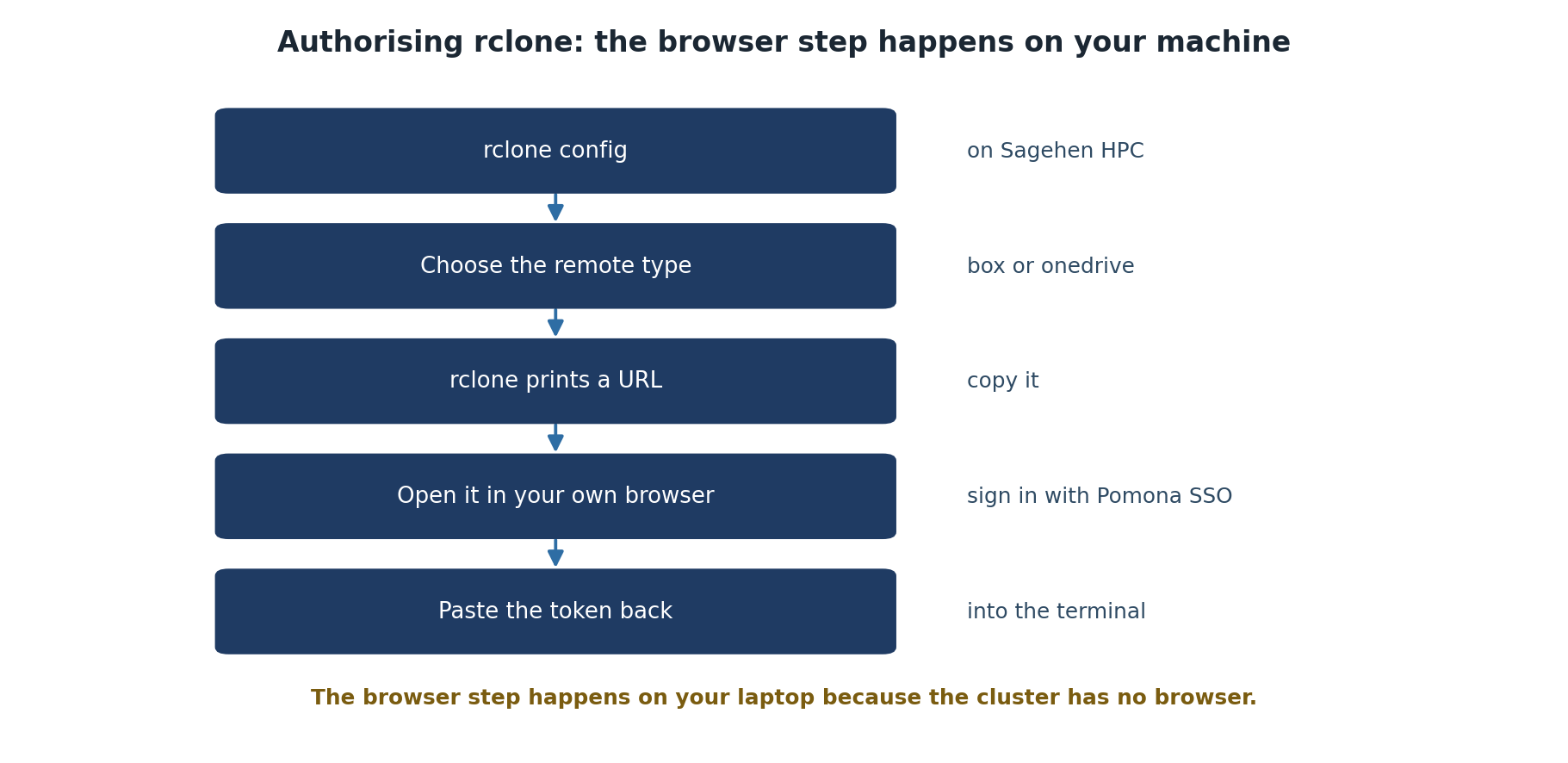
Image 1 of 1: ‘Five steps to authorise rclone. Run rclone config on Sagehen HPC, choose the remote type of box or onedrive, let rclone print a URL, open that URL in your own browser and sign in with Pomona single sign-on, then paste the token back into the terminal.’
The browser step happens on your machine,
because the cluster has none.
Figure 2
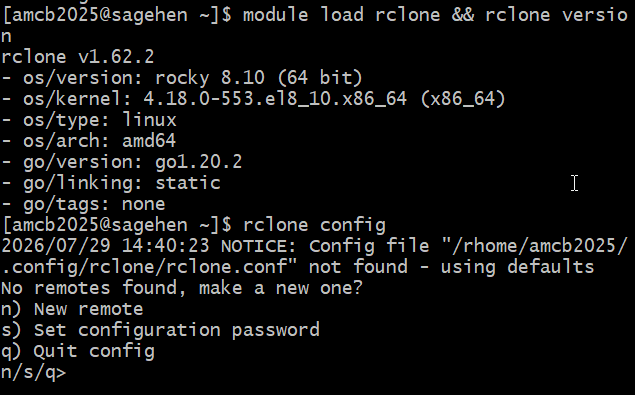
Image 1 of 1: ‘Terminal on Sagehen showing module load rclone and rclone version reporting rclone v1.62.2 on Rocky Linux 8.10. Below, rclone config prints a notice that no config file exists yet and asks No remotes found, make a new one, with options n for new remote, s for set configuration password, and q to quit.’
The real first run on Sagehen HPC:
module load rclone && rclone version (v1.62.2 on
Rocky 8.10), then rclone config with the fresh-config
menu.
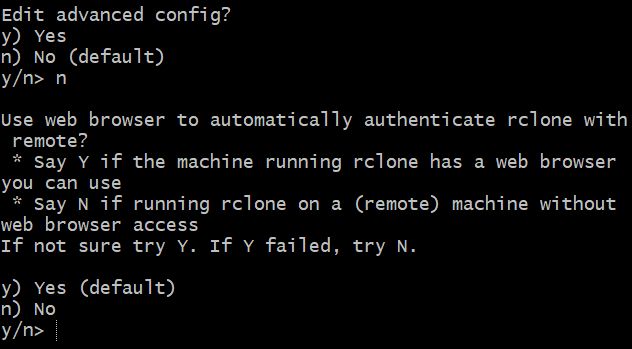
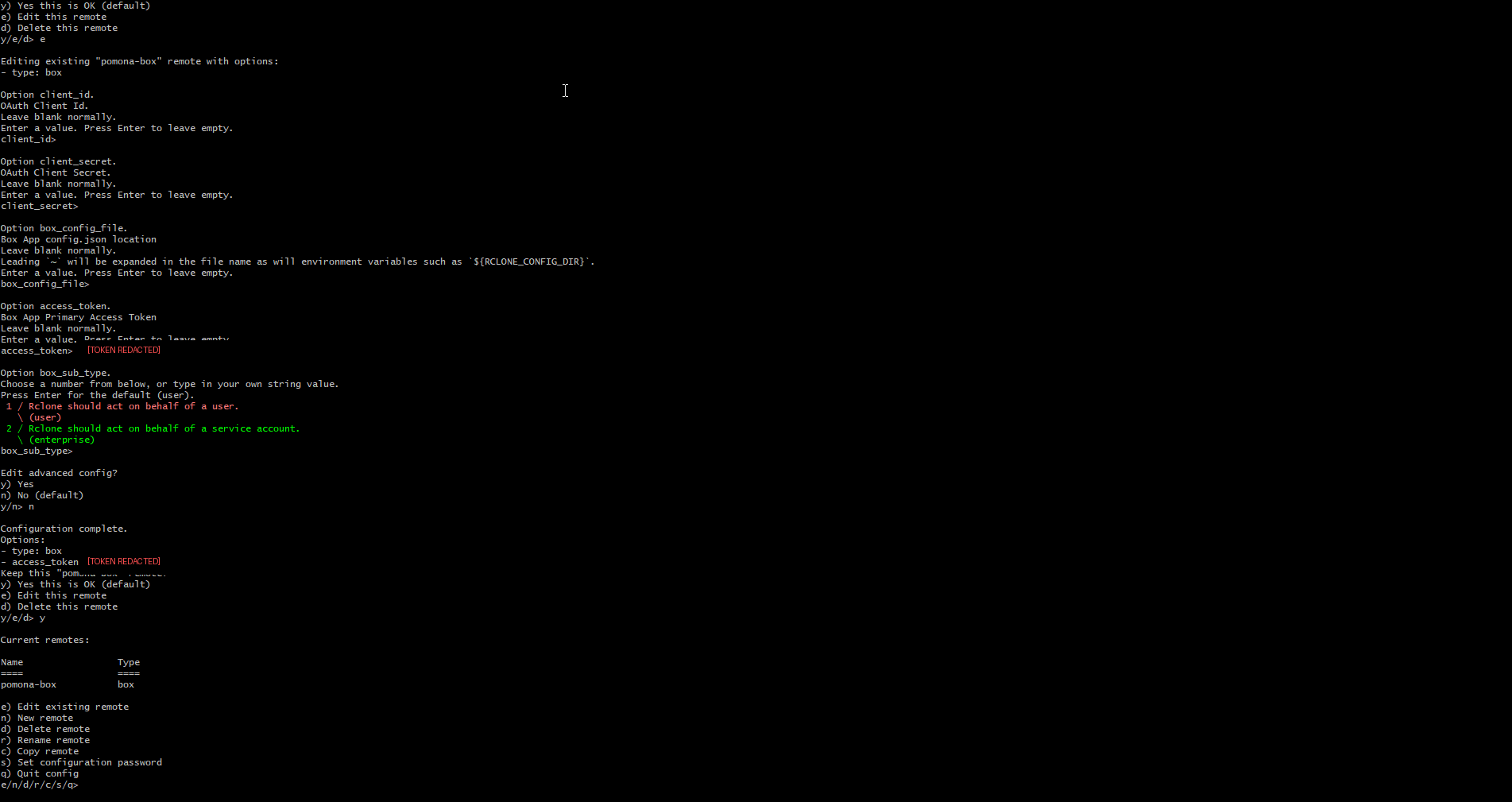
Image 1 of 1: ‘Terminal showing the rclone Box setup wizard. The Edit advanced config question has been answered n. rclone then asks whether to use a web browser to automatically authenticate, explaining to say N if rclone runs on a remote machine without browser access. The y/n prompt is waiting for input.’
The two prompts in sequence: decline advanced
config, then answer n to the browser question because
Sagehen HPC is a remote machine without one.
Image 1 of 1: ‘A Microsoft consent page on the Pomona College tenant. It reads Need admin approval, rclone, and explains that rclone needs permission to access resources in your organization that only an admin can grant, with links to ask an admin for consent or return to the application without granting consent.’
What the OneDrive authorisation currently
returns on the Pomona tenant.
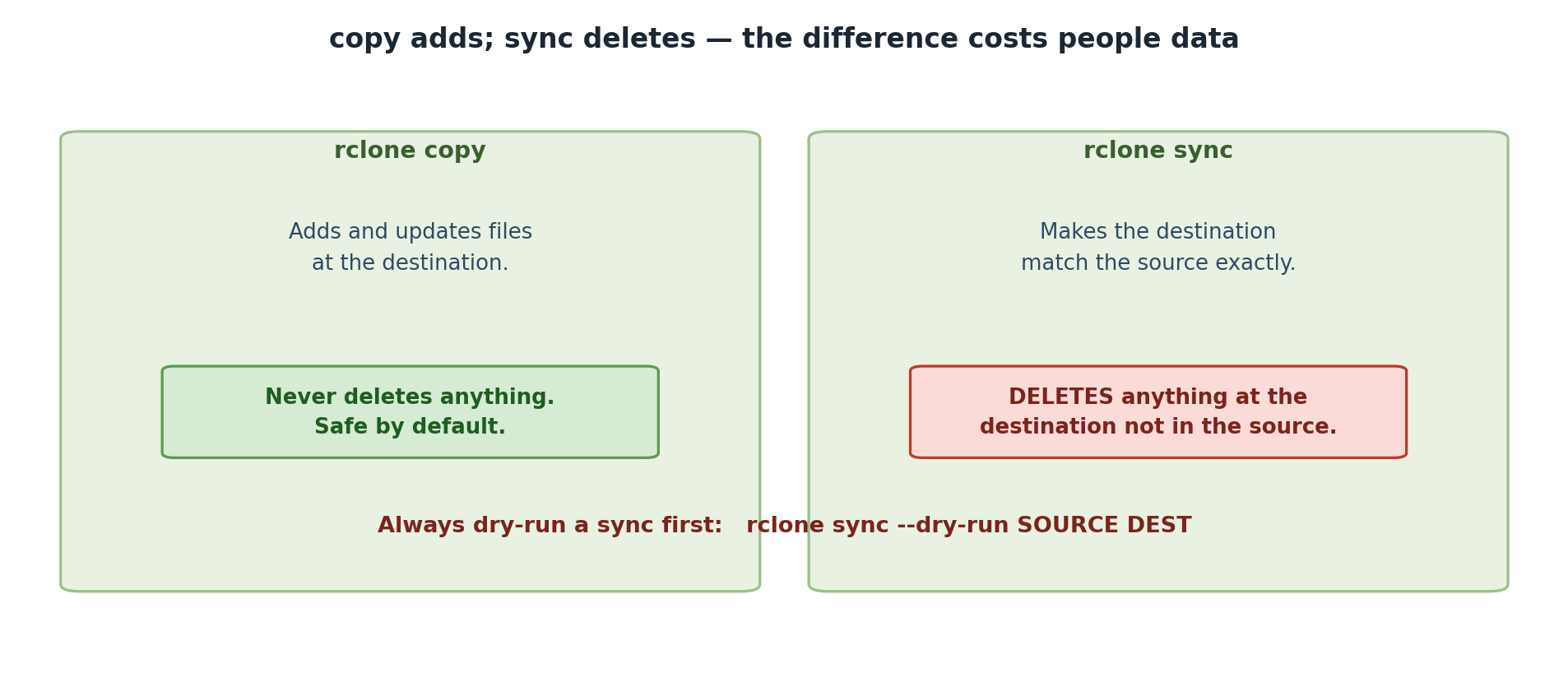
Image 1 of 1: ‘Two panels comparing rclone copy and rclone sync. Copy adds and updates files at the destination and never deletes anything, so it is safe by default. Sync makes the destination match the source exactly and deletes anything at the destination that is not in the source. A warning advises always doing a dry run of a sync first.’
copy only adds; sync will delete to make the
destination match.
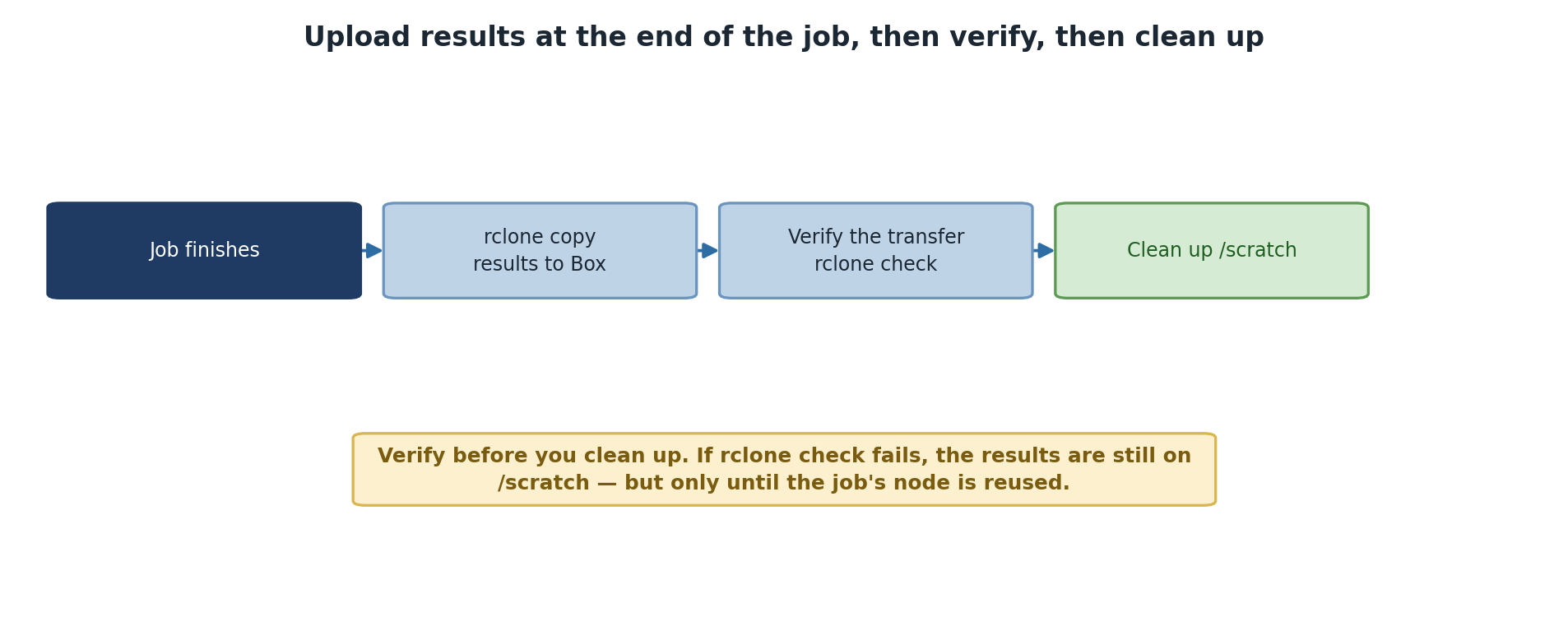
Image 1 of 1: ‘Four steps at the end of a job: the job finishes, rclone copies results to Box, rclone check verifies the transfer, and only then is /scratch cleaned up. A note explains that verifying first matters because if the check fails the results are still on /scratch, but only until that node is reused.’