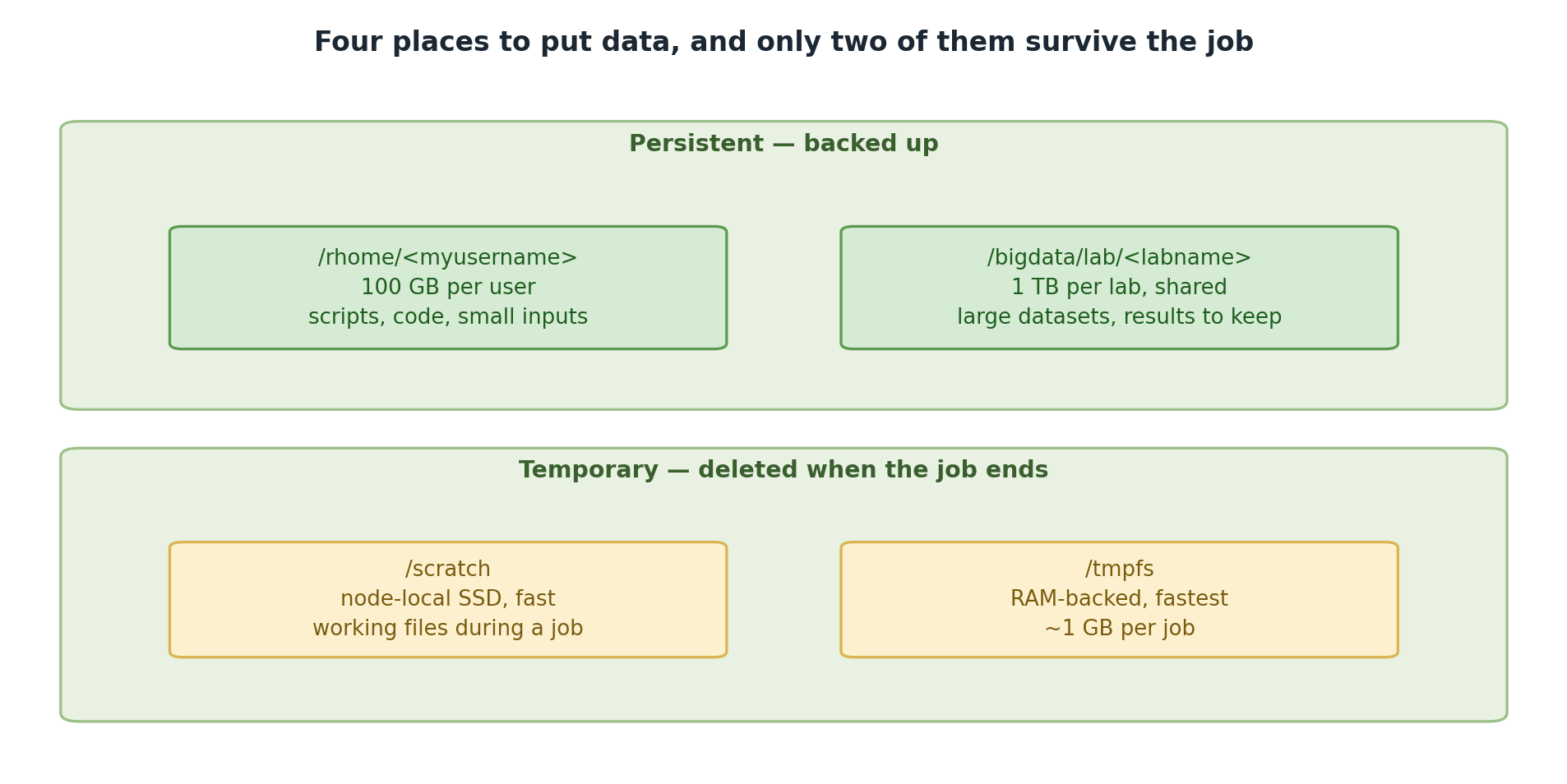
Image 1 of 1: ‘Storage on Sagehen HPC in two groups. Persistent and backed up: /rhome with 100 GB per user for scripts, code and small inputs, and /bigdata/lab per lab with 1 TB shared for large datasets and results to keep. Temporary and deleted when the job ends: /scratch, node-local SSD used for working files during a job, and /tmpfs, RAM-backed and fastest at about 1 GB per job.’
Two tiers are backed up and two vanish when the
job ends.
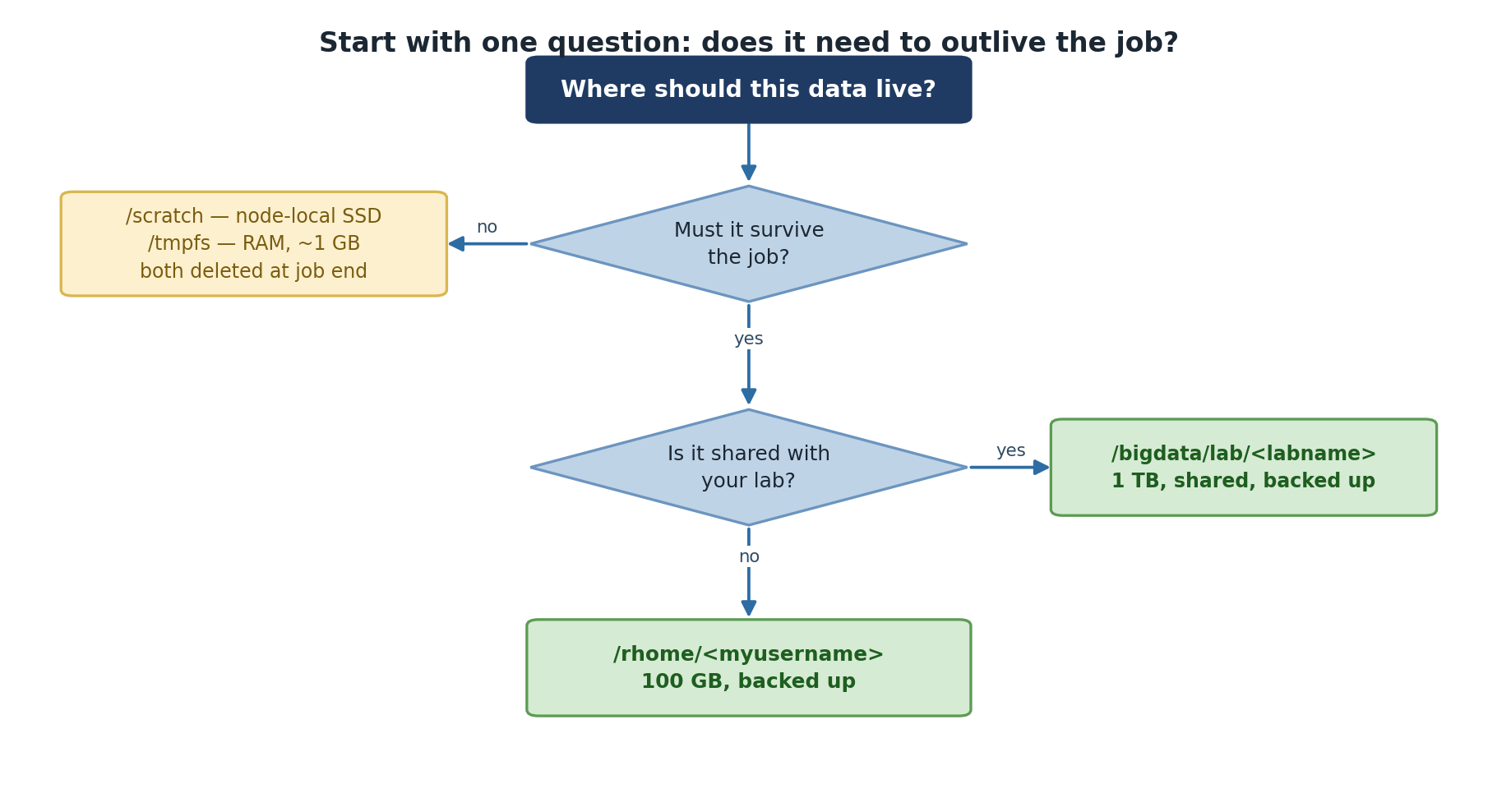
Image 1 of 1: ‘A decision tree for where data should live. If it does not need to survive the job, use /scratch, node-local SSD, or /tmpfs in RAM at about 1 GB, both deleted at job end. If it must survive and is shared with your lab, use /bigdata/lab with 1 TB shared and backed up. If it must survive but is yours alone, use /rhome with 100 GB backed up.’
One question decides it: does the data need to
outlive the job?
Figure 2
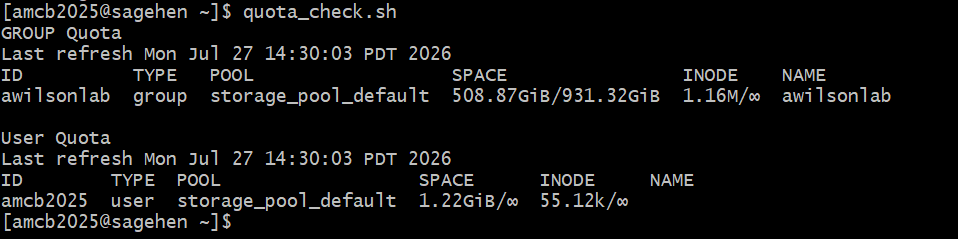
Image 1 of 1: ‘Terminal output of quota_check.sh on Sagehen. A GROUP Quota section shows the lab group using 508.87 GiB of a 931.32 GiB limit with 1.16 million inodes and no inode limit. A User Quota section shows the individual user consuming 1.22 GiB with no per-user space limit shown. Both rows reference storage_pool_default.’
quota_check.sh reports the lab’s
group usage against the shared pool limit, then your per-user usage. The
group limit is what’s enforced.
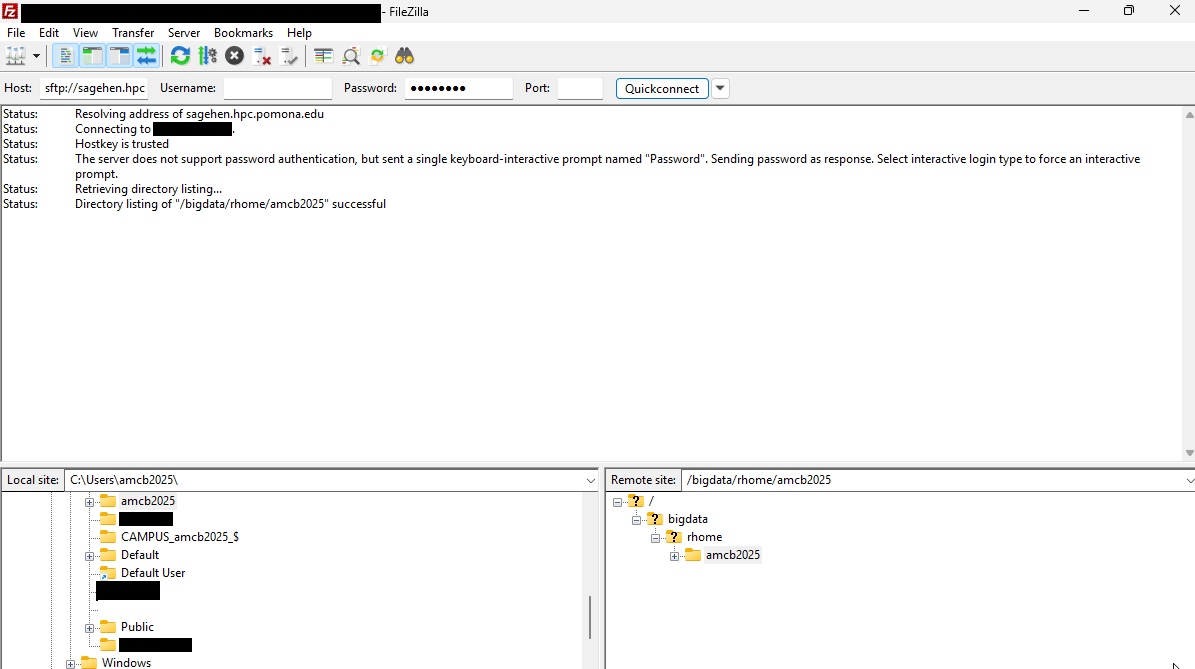
Image 1 of 1: ‘The FileZilla client connected to sagehen.hpc.pomona.edu over SFTP. The status log confirms the hostkey is trusted and the remote directory listing succeeded. The window is split into a local Windows file tree on the left and the remote Sagehen directory tree on the right.’
FileZilla after Quickconnect: your computer on
the left, your Sagehen HPC home on the right (it appears as
/bigdata/rhome/… — the same place /rhome points to).
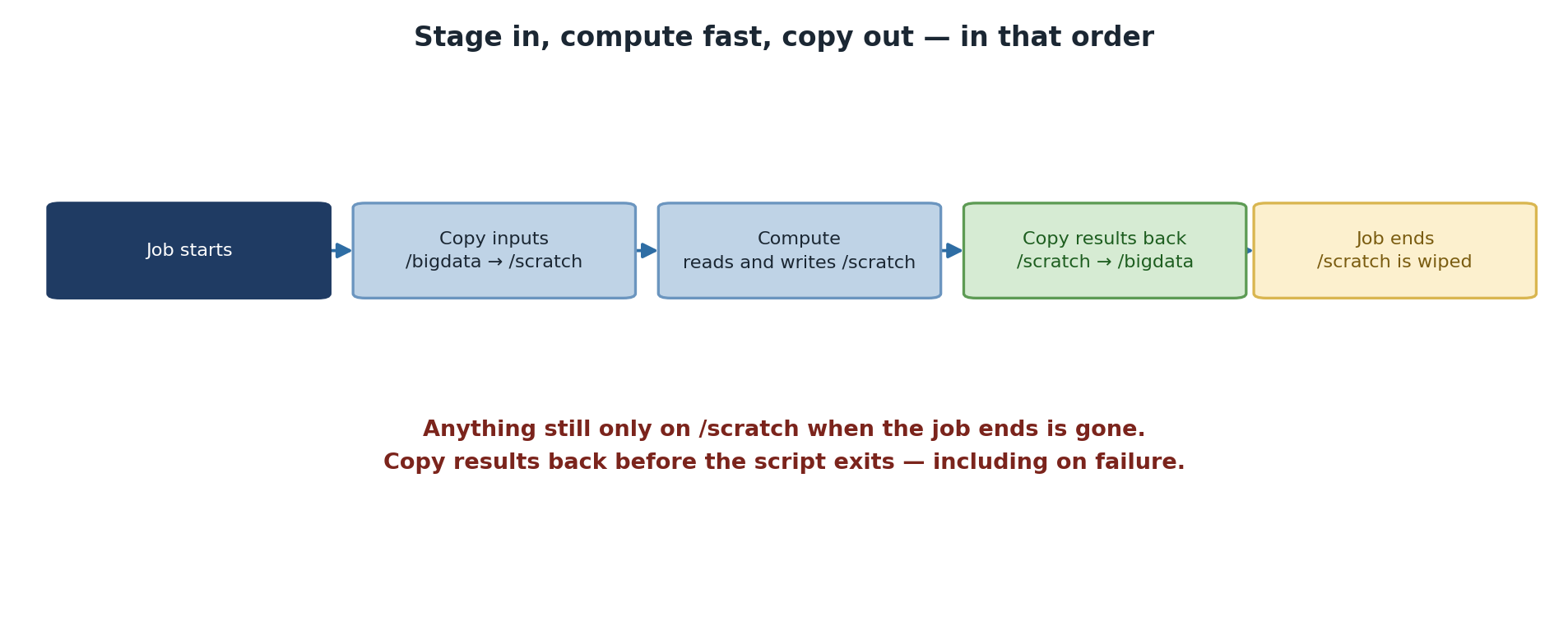
Image 1 of 1: ‘A five-step flow through a job. The job starts, inputs are copied from /bigdata to /scratch, computation reads and writes /scratch, results are copied back from /scratch to /bigdata, and then the job ends and /scratch is wiped. A warning states that anything still only on /scratch when the job ends is gone, so results must be copied back before the script exits, including on failure.’
Copy in, work on the fast local disk, copy out
before the job ends.