
ML Workflow Overview
Last updated on 2026-08-27 | Edit this page
Overview
Questions
- How do CPUs and GPUs compare for different ML workloads?
- What GPU options are available on Sagehen HPC?
- What does a typical ML workflow on HPC look like?
Objectives
- Learn CPU vs GPU tradeoffs for different workloads
- Know Sagehen’s ML capabilities and GPU options
- Plan ML workflows that effectively use HPC
CPU vs GPU: When to Use Each
CPU Characteristics
- Good at: Sequential logic, complex control flow, sparse operations
- Typical cores: 32-128 cores per node
CPU-friendly ML workloads: - Preprocessing (pandas, scikit-learn) - Tree-based models (random forests, XGBoost, LightGBM) - Sparse linear models - Feature engineering and data cleaning
GPU Characteristics
- Good at: Massive parallelism, dense matrix operations
- Typical cores: 1000-10000 cores per GPU (A100 has 6912 cores)
GPU-friendly ML workloads: - Deep neural networks (CNN, RNN, Transformer) - Large matrix operations - Batch processing - Any framework with CUDA support (PyTorch, TensorFlow)
Sagehen HPC’s GPU Options
GPU Type      VRAM       Best For                         Units
────────────────────────────────────────────────────────────────
A100 (80GB)   80 GB      Large models, distributed        4
                         training, production
L40S (48GB)   48 GB      Single-GPU training,             4
                         inference, general ML
RTX PRO 6000 (96 GB)  96 GB ECC  Largest-memory training / pro     2
                         training, ECC-sensitive numerics
────────────────────────────────────────────────────────────────
Total: 10 GPUs (confirmed by Andrew Wilson, May 2026)
Performance Scaling
Real-world speedups on Sagehen:
| Workload | CPU (32 cores) | 1 A100 GPU | 4 A100 GPUs |
|---|---|---|---|
| Training ResNet-50 | 1.0x (baseline) | 15-20x | 50-60x |
| Small dense NN | 1.0x | 8-12x | 20-30x |
| XGBoost | 1.0x | 1-2x | 8-12x |
| Data loading | 1.0x | 1.0x | 1.0x |
Key insight: GPUs excel at deep learning but don’t help with data I/O or tree-based models.
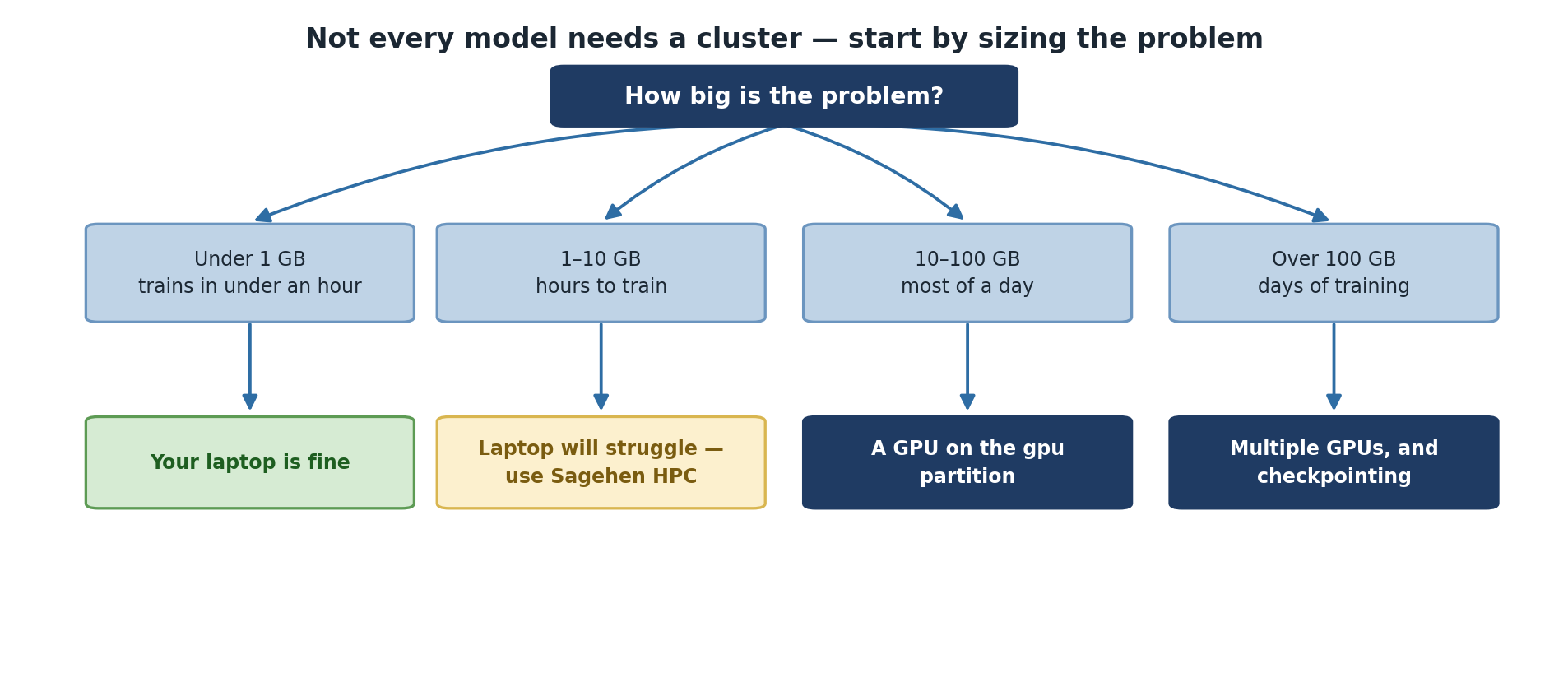
Sagehen HPC ML Infrastructure
Storage Architecture
BASH
/rhome/$USER                Quota: 100 GB
├─ Purpose: Personal files, code, small datasets
├─ Speed: Moderate (BeeGFS), Backed up: YES
└─ Best for: Git repos, config files, scripts

/bigdata/$LAB               Quota: 1+ TB per lab
├─ Purpose: Research datasets, large data
├─ Speed: Good (BeeGFS parallel FS), Backed up: NO
└─ Best for: Raw datasets, training data

/scratch/$USER              Node-local, inside jobs only
├─ Purpose: Job I/O, intermediate results
├─ Speed: Fast (NVMe SSD), Deleted when the job ends
└─ Best for: Input/output during jobs
Compute Resources
- Login nodes: Interactive work (no heavy compute)
- CPU nodes (amd partition): 32-128 cores, up to 512 GB RAM, ideal for preprocessing
- GPU nodes (gpu partition): 10 GPUs total — A100/L40S/RTX PRO 6000, max 720 hours, ideal for training
-
short partition: Quick test / debug jobs with a
shorter max walltime (check
sinfo -p short) - OnDemand web interface: Interactive Jupyter notebooks with optional GPU
Typical ML Workflow on Sagehen HPC
PHASE 1: Local Development (Laptop)
├─ Write model code, test on toy dataset, debug

PHASE 2: Preprocessing (HPC CPU or OnDemand)
├─ Copy full dataset to /bigdata
├─ Write preprocessing pipeline, create train/test splits
└─ Save to /scratch for fast access

PHASE 3: Model Training (HPC GPU)
├─ Submit SLURM job with GPU allocation
├─ Train with checkpointing, monitor GPU usage
└─ Save checkpoints and final model

PHASE 4: Evaluation (Laptop or OnDemand)
├─ Load trained model, evaluate on test set
└─ Generate plots and analysis

PHASE 5: Iteration (Cycle back to PHASE 3)
├─ Adjust hyperparameters, try different architectures
└─ Compare results
Challenge
Challenge: Project Planning
You’re starting a project to classify satellite images (1 TB dataset, ResNet-50).
- Which storage tier should you use for raw data?
- Which GPU should you request for single-GPU training?
- How would you estimate training time without running the full dataset?
1. Storage: /bigdata for raw data (1 TB
is too large for /rhome or /scratch).
2. GPU Selection: Start with L40S (48GB) since ResNet-50 is ~100MB, fits easily. Save A100s for larger models.
3. Time Estimation: Download a 10 GB sample, train ResNet-50 on the sample, measure time per epoch, then extrapolate to full dataset. Plan for extra time accounting for I/O.
- GPUs accelerate deep learning 15-20x; CPUs are better for preprocessing and tree models
- Sagehen offers 10 GPUs total: A100 (80 GB), L40S (48 GB), and RTX PRO 6000 (96 GB ECC)
- Storage tiers (/rhome, /bigdata, /scratch) have different performance characteristics
- Successful ML on HPC combines local development with remote training
- CPU preprocessing + GPU training is more efficient than trying everything on GPU