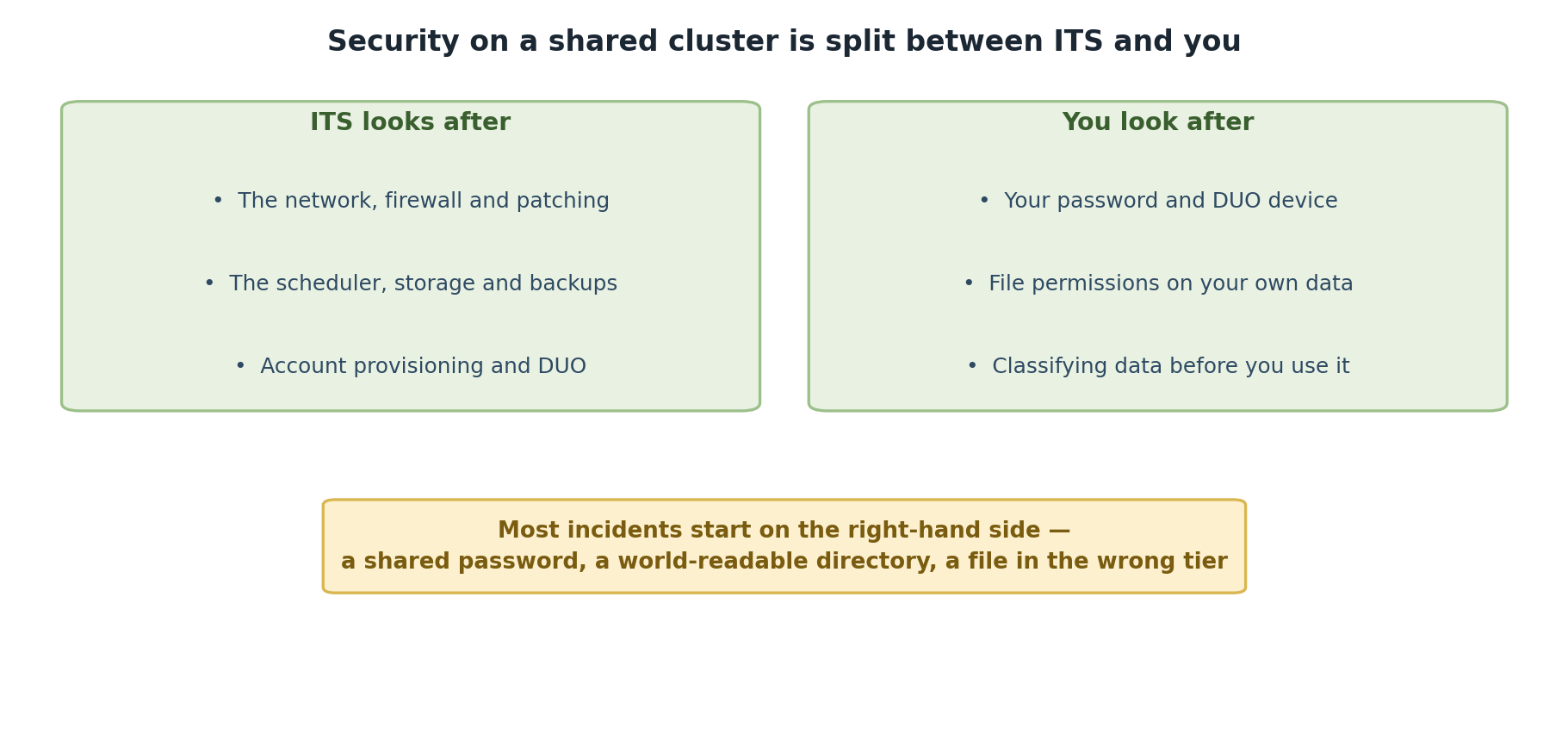
Image 1 of 1: ‘Two panels. ITS looks after the network, firewall and patching, the scheduler, storage and backups, and account provisioning and DUO. You look after your password and DUO device, file permissions on your own data, and classifying data before you use it. A note observes that most incidents start on the user side: a shared password, a world-readable directory, or a file in the wrong tier.’
ITS secures the cluster; you secure your own
account and data.
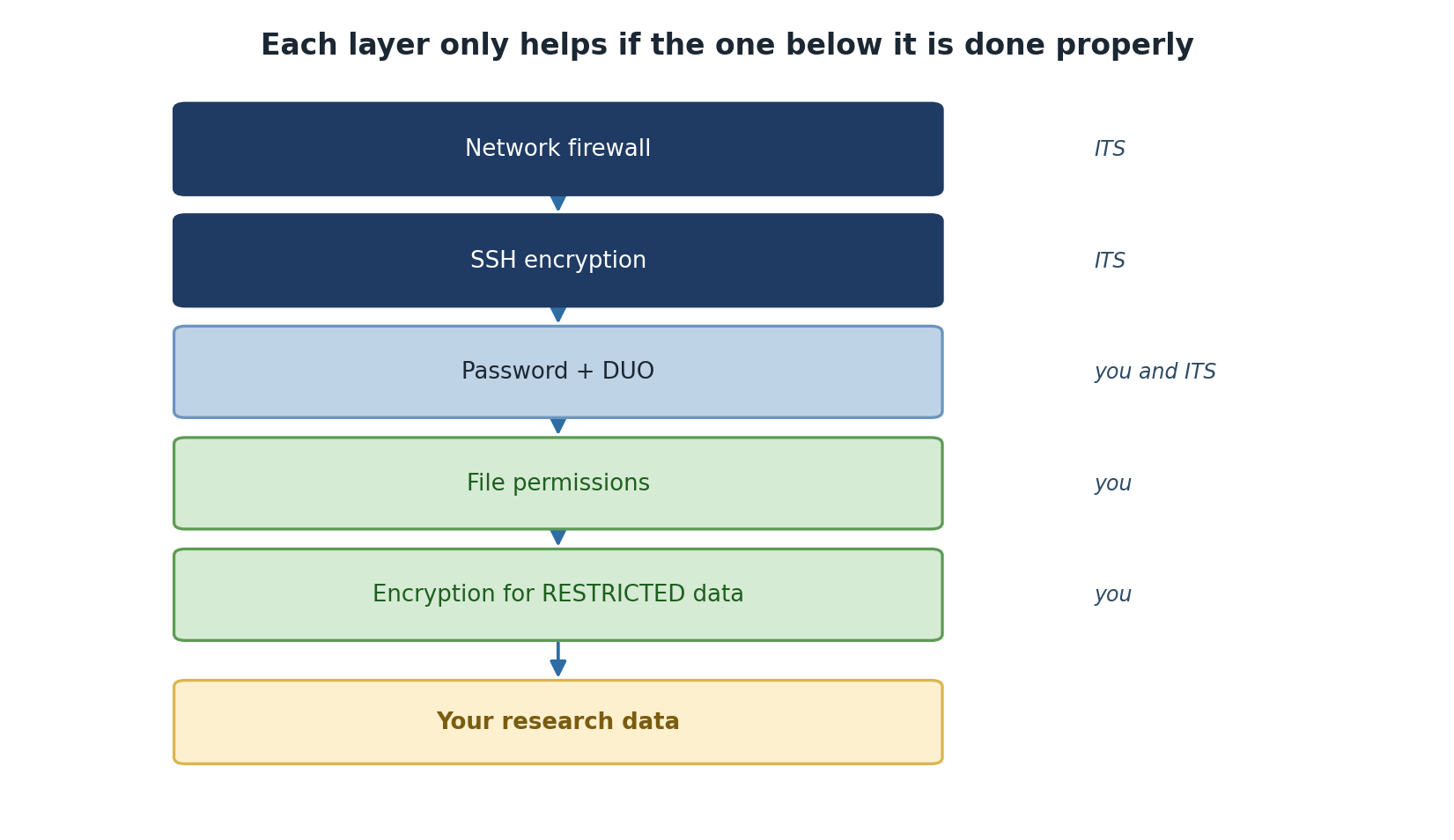
Image 1 of 1: ‘Six stacked layers, from outermost to innermost: network firewall and SSH encryption, both maintained by ITS; password plus DUO, shared between you and ITS; file permissions and encryption for RESTRICTED data, both your responsibility; and finally your research data at the centre.’
Five layers protect your data, and you own the
bottom two.
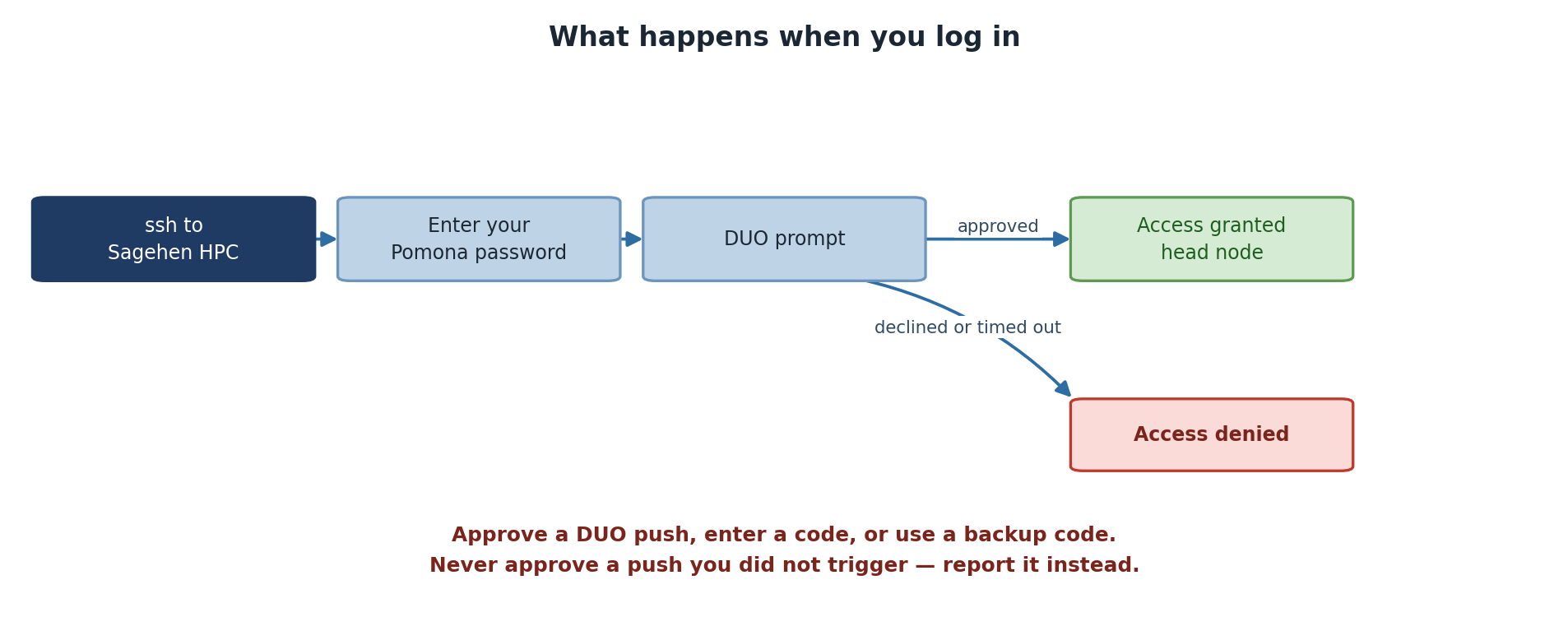
Image 1 of 1: ‘A login flow. You ssh to Sagehen HPC, enter your Pomona password, and reach a DUO prompt. If approved, access is granted to the head node. If declined or timed out, access is denied. A note says to approve a push, enter a code, or use a backup code, and never to approve a push you did not trigger.’
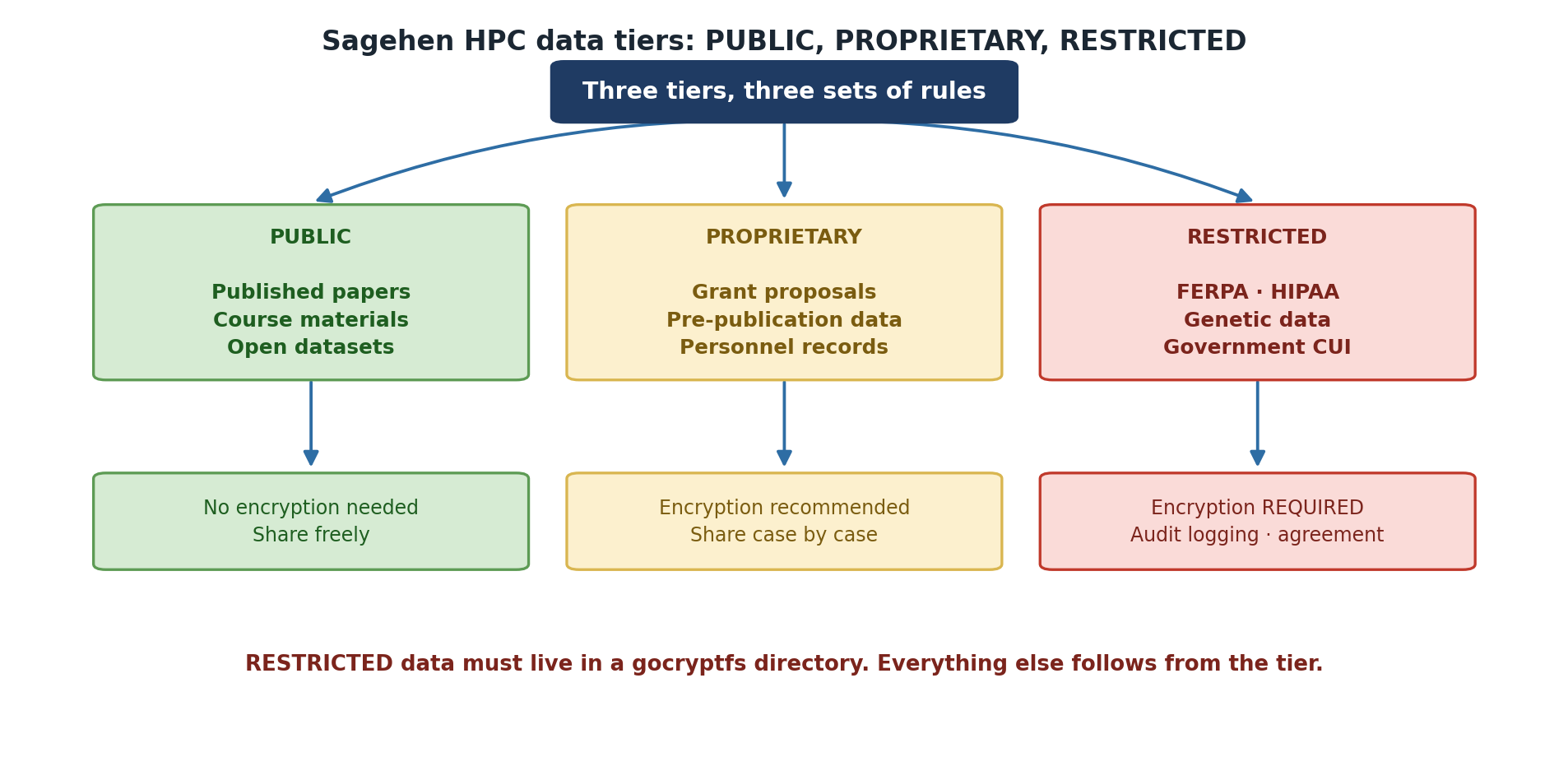
Image 1 of 1: ‘The three Sagehen HPC data tiers. PUBLIC covers published papers, course materials and open datasets, needs no encryption and can be shared freely. PROPRIETARY covers grant proposals, pre-publication data and personnel records, with encryption recommended and sharing decided case by case. RESTRICTED covers FERPA and HIPAA data, genetic data and government CUI, where encryption is required along with audit logging and an agreement. A note adds that RESTRICTED data must live in a gocryptfs directory.’
The tier decides the rules — not your judgement
in the moment.
Figure 2
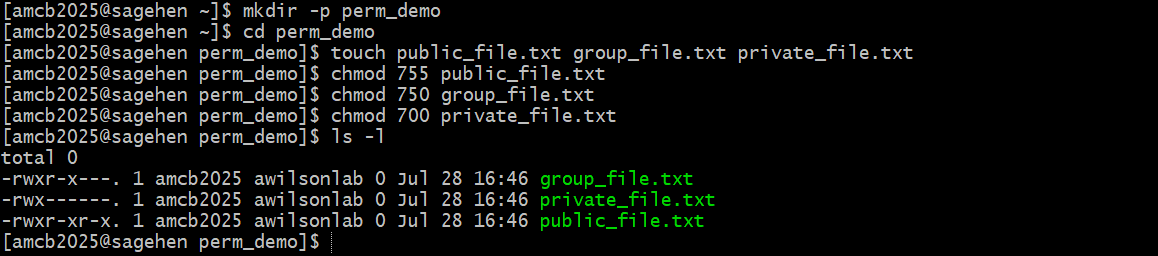
Image 1 of 1: ‘A terminal session creating a demo directory with three empty files and applying chmod 755, 750, and 700. The ls -l output shows one file readable by everyone, one accessible to the owner and the lab group, and one accessible only to the owner.’
The three tiers in practice (file names differ
from the examples above, but the mapping is the same): 755 everyone
reads, 750 owner + lab group, 700 owner only.
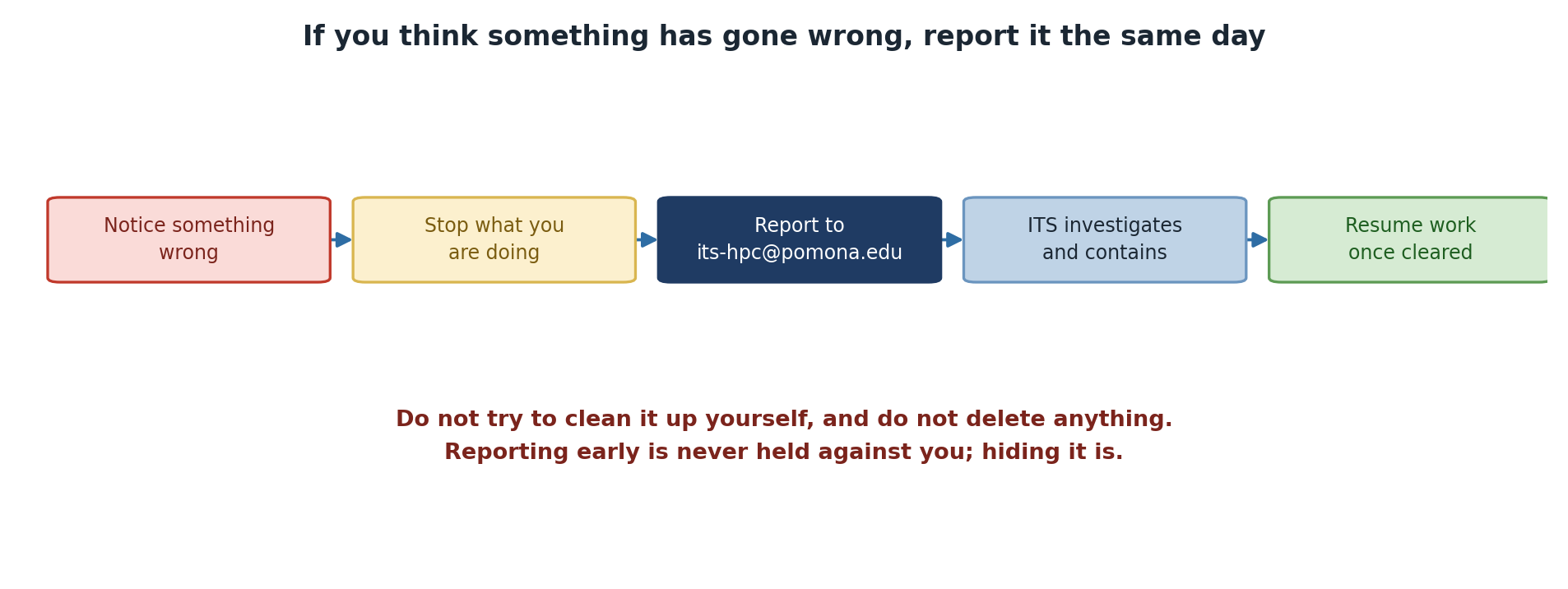
Image 1 of 1: ‘Five steps: notice something wrong, stop what you are doing, report to its-hpc@pomona.edu, ITS investigates and contains, and resume work once cleared. A warning says not to try to clean it up yourself and not to delete anything, and that reporting early is never held against you while hiding it is.’
Report first, investigate never — that part is
ITS’s job.