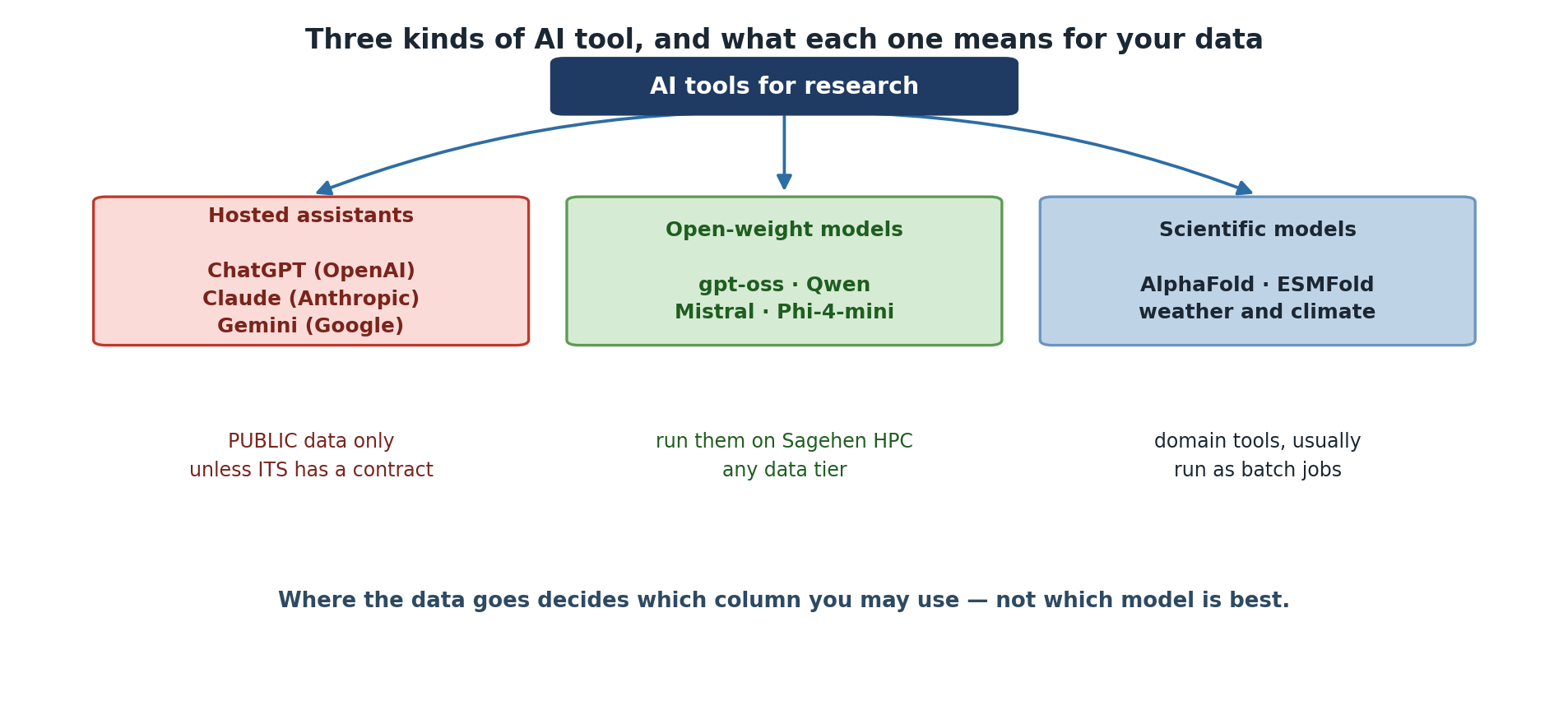
Image 1 of 1: ‘Three groups of AI tool. Hosted assistants, including ChatGPT from OpenAI, Claude from Anthropic and Gemini from Google, are for PUBLIC data only unless ITS holds a contract covering them. Open-weight models such as gpt-oss, Qwen, Mistral and Phi-4-mini can be run on Sagehen HPC with any data tier. Scientific models such as AlphaFold, ESMFold and weather and climate models are domain tools usually run as batch jobs. A note says that where the data goes decides which column you may use, not which model is best.’
Three kinds of tool, and the data rule attached
to each.
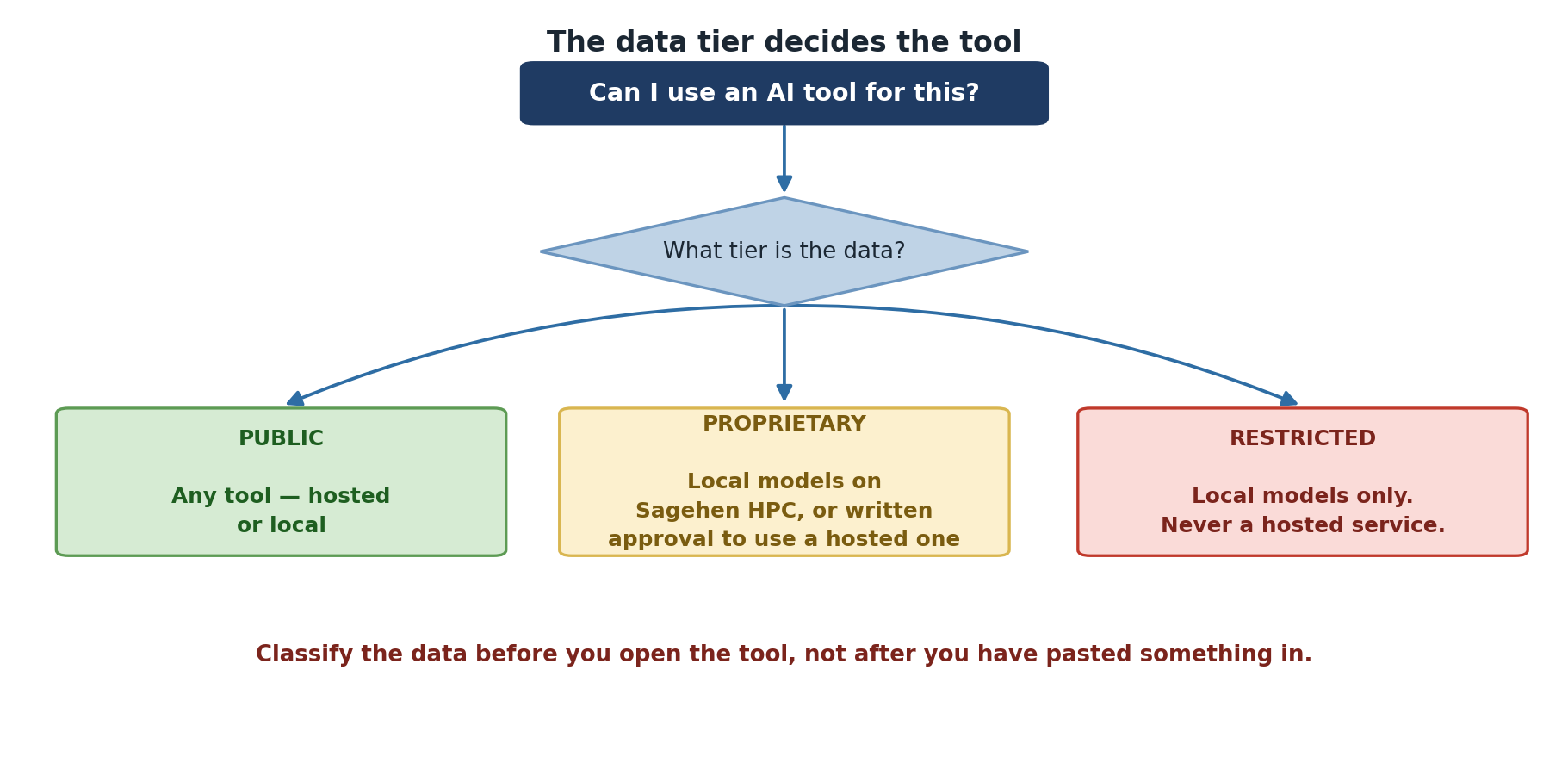
Image 1 of 1: ‘A decision starting from whether you can use an AI tool, branching on the data tier. PUBLIC data may use any tool, hosted or local. PROPRIETARY data may use local models on Sagehen HPC, or a hosted one with written approval. RESTRICTED data may use local models only and never a hosted service. A note advises classifying the data before opening the tool rather than after pasting something in.’
Classify first; the tier narrows the options for
you.
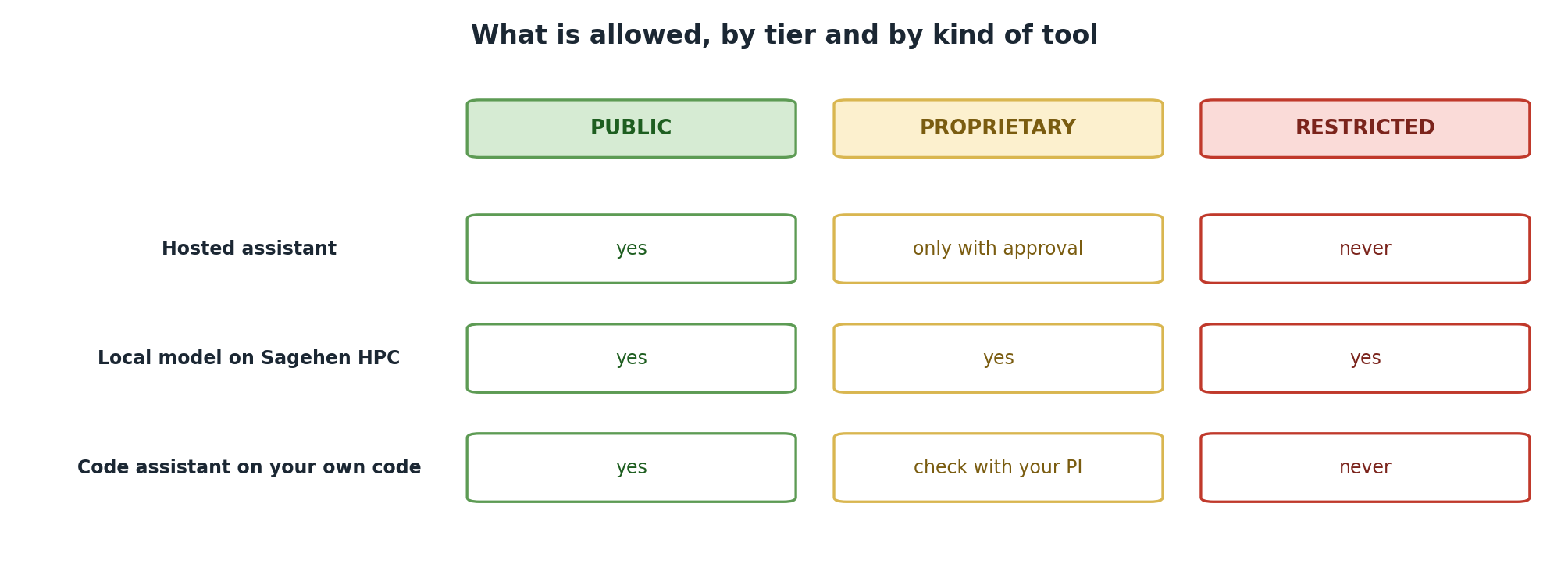
Image 1 of 1: ‘A table of what is allowed by tier and tool. A hosted assistant is allowed for PUBLIC data, allowed for PROPRIETARY only with approval, and never for RESTRICTED. A local model on Sagehen HPC is allowed for all three tiers. A code assistant working on your own code is allowed for PUBLIC, needs a check with your PI for PROPRIETARY, and is never allowed for RESTRICTED.’
The same three tiers, applied to three kinds of
tool.
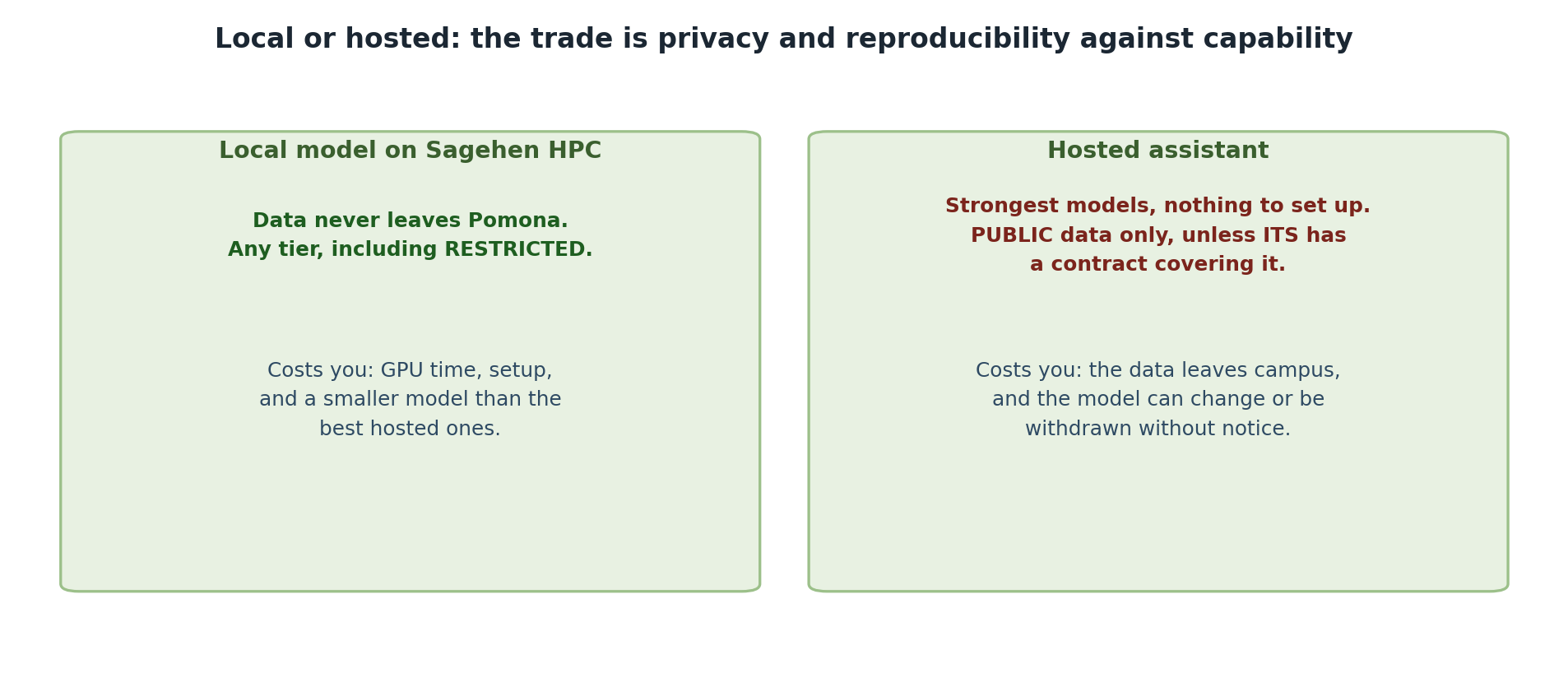
Image 1 of 1: ‘Two panels. A local model on Sagehen HPC keeps data on campus and can be used with any tier including RESTRICTED, at the cost of GPU time, setup effort and a smaller model than the best hosted ones. A hosted assistant offers the strongest models with nothing to set up, but is for PUBLIC data only unless ITS holds a contract, and the data leaves campus while the model may change or be withdrawn without notice.’
Image 1 of 1: ‘Terminal output of sinfo -p gpu on Sagehen HPC listing the gpu partition with a 30-day time limit and its GPU nodes, showing their current allocation state.’
Checking the gpu partition before requesting a
session: sinfo -p gpu shows which GPU nodes are up.
Figure 2
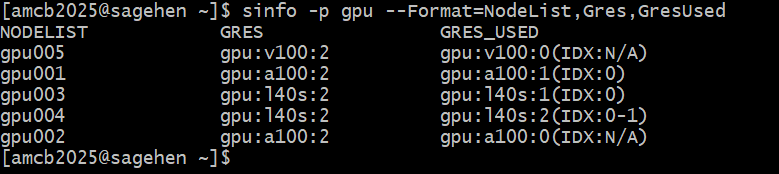
Image 1 of 1: ‘Terminal output of sinfo -p gpu with the NodeList, Gres and GresUsed columns on Sagehen. Each GPU node is listed with the generic resources it advertises and, alongside, how many of those GPUs are currently allocated versus idle, so you can see at a glance which GPU type is least contended.’
Which GPU types the cluster advertises and how
many are in use — useful for picking a less-contended GPU for
testing.
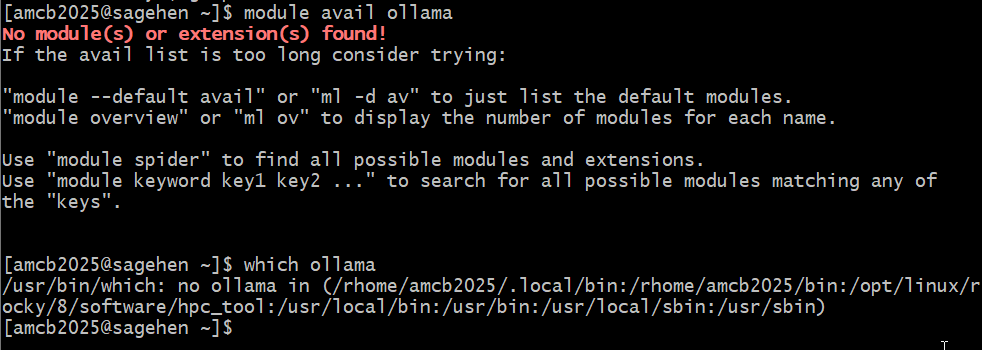
Image 1 of 1: ‘Terminal on Sagehen HPC. module avail ollama returns no modules found, which ollama reports no ollama in any of the PATH directories, and piping the Ollama install script to shell fails because the user is not in the sudoers file.’
Checked on Sagehen HPC: no ollama
module, nothing on the PATH, and installing it needs root.
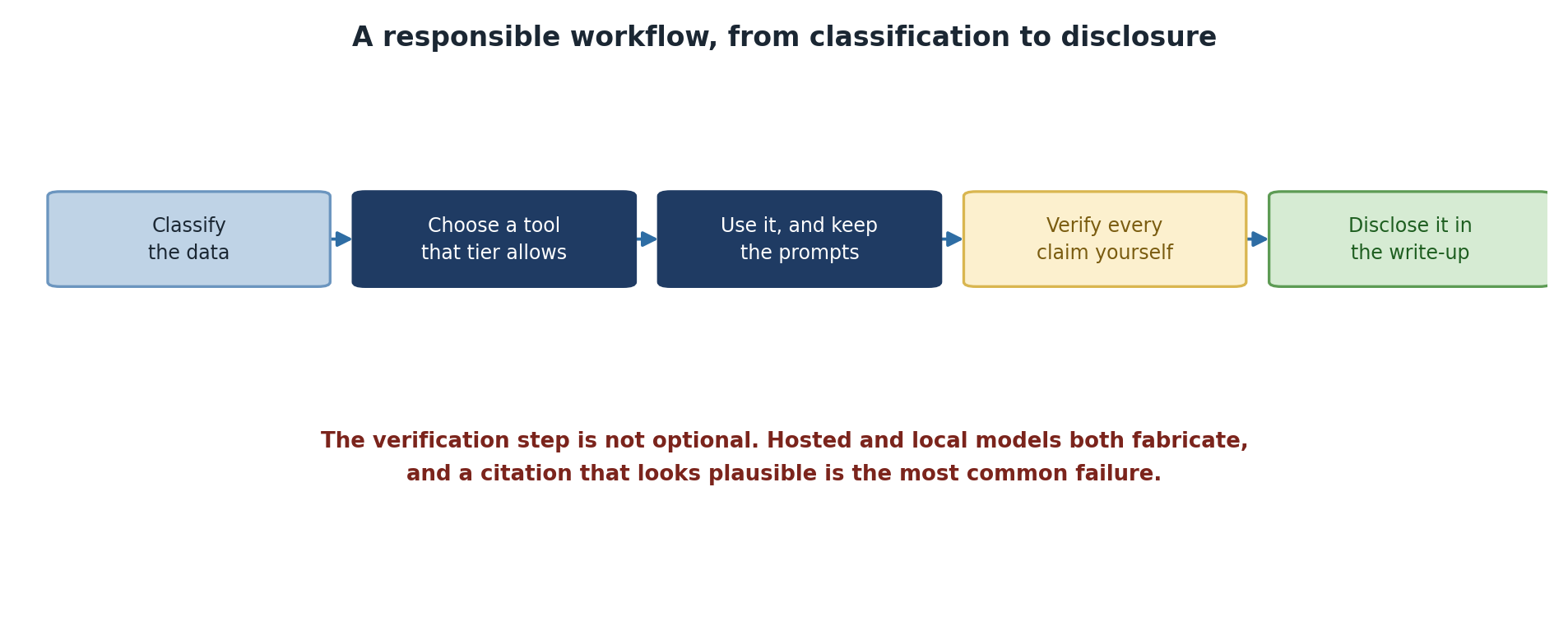
Image 1 of 1: ‘A five-step workflow: classify the data, choose a tool that the tier allows, use it and keep the prompts, verify every claim yourself, and disclose it in the write-up. A note stresses that the verification step is not optional, since hosted and local models both fabricate and a plausible-looking citation is the most common failure.’
Verification is a step in the workflow, not an
afterthought.