
Storage Architecture Overview
Last updated on 2026-08-27 | Edit this page
Overview
Questions
- What storage options are available on Sagehen HPC?
- Where should I store different types of data?
- What are the differences between persistent and temporary storage?
Objectives
After completing this episode, participants will be able to:
- Describe the four main storage locations on Sagehen
- Explain the persistence and availability of each filesystem
- Choose the appropriate storage location for different use cases
Sagehen HPC’s Storage System
Sagehen uses a hierarchical storage system designed to balance performance, reliability, and cost. The four main storage locations are:
-
/rhome/<myusername>– Home directory (persistent, lab-shared quota) -
/bigdata/lab/<labname>– Lab shared storage (persistent, 1TB quota per lab) -
/scratch/$SLURM_JOB_ID– Job-local temporary SSD (deleted when job completes) -
/tmpfs/$SLURM_JOB_ID– RAM-backed temporary storage (deleted when job completes)
Sagehen Storage Architecture
+-- Persistent Storage (survives job termination)
|   +-- /rhome/<myusername>       (Home, BeeGFS, weekly snapshots)
|   +-- /bigdata/lab/<labname>      (Lab shared, BeeGFS, weekly snapshots)
|
+-- Temporary Storage (deleted when job completes)
    +-- /scratch/$SLURM_JOB_ID  (SSD-backed, very fast)
    +-- /tmpfs/$SLURM_JOB_ID    (RAM-backed, fastest)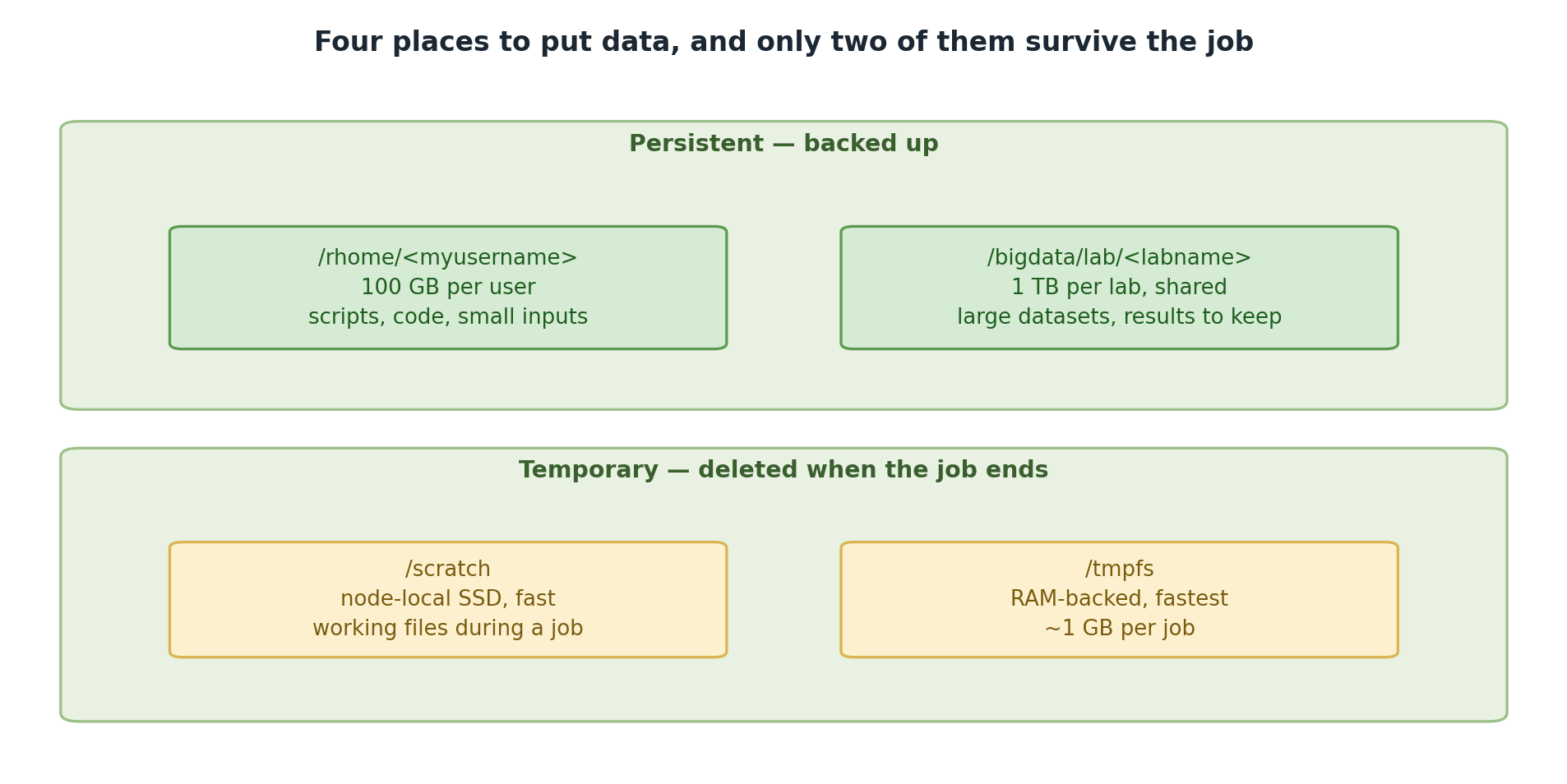
Two tiers are backed up and two vanish when the
job ends.
Storage Performance Tiers
-
Fastest:
/tmpfs(RAM-backed, node-local) -
Very Fast:
/scratch(SSD-backed) -
Standard:
/rhomeand/bigdata(network storage)
Use temporary storage for intermediate data during jobs to improve performance 5-10x.
Persistent Storage
Home Directory: /rhome/<myusername>
Your personal storage space, accessible from all nodes and OnDemand.
- Quota: Shared with lab (included in 1TB lab quota)
- Persistence: Permanent
- Backup: Weekly snapshots (contact its-hpc@pomona.edu for recovery)
- Filesystem: BeeGFS distributed filesystem
- Best for: Source code, config files, small datasets, job scripts
Temporary Storage
Choosing the Right Location
Will this data survive beyond my current job?
    +-- YES
    |   +-- Will lab members need access?
    |       +-- YES --> /bigdata/lab/<labname>
    |       +-- NO  --> /rhome/<myusername>
    +-- NO (temporary data)
        +-- Does data fit in allocated memory?
            +-- YES --> /tmpfs (fastest)
            +-- NO  --> /scratch (very fast)
BeeGFS Filesystem
All Sagehen storage uses BeeGFS, a parallel distributed filesystem.
Key implication: the standard du command may be inaccurate.
Always use du --apparent-size or the
quota_check.sh script for accurate measurements.
Challenge: Storage Selection
For each scenario, choose the best storage location and justify your answer:
- A 500MB raw data file that your entire lab will analyze
- A 4-hour job processing 100GB of data and generating 50GB of results
- Python scripts and notebooks for future reference
- A job using 48GB of memory that needs a temporary 40GB working directory
-
/bigdata/lab/<labname>– Needs lab-wide access and persistence -
/scratchfor working data, copy results back to/rhome– Fast I/O, too large for RAM -
/rhome/<myusername>– Personal, small, needs permanent persistence -
/tmpfs– Fits in allocated memory, fastest possible I/O for single-node work
- Sagehen provides four storage locations with different persistence and performance characteristics
-
/rhomeand/bigdataare persistent and share a 1TB lab quota on BeeGFS -
/scratchand/tmpfsare temporary, deleted when the job completes - Choose storage based on persistence needs, access patterns, and performance requirements