
Checking and Managing Quotas
Last updated on 2026-08-27 | Edit this page
Overview
Questions
- How much storage can I use on Sagehen HPC?
- How do I check my current storage usage?
- Why does
dugive inaccurate results on BeeGFS?
Objectives
After completing this episode, participants will be able to: - Use
quota_check.sh to monitor storage usage - Understand the
difference between apparent size and block size on BeeGFS - Use
du with the correct flags for accurate measurements -
Identify large files and directories consuming space
Quota Structure on Sagehen HPC
Both /rhome/<myusername> and
/bigdata/lab/<labname> share a lab-based
quota:
- Quota per lab: 1TB combined across home + lab storage
- Shared responsibility: All lab members share this quota
- Enforcement: Hard limit – cannot write new files if exceeded
- Exceptions: Request temporary increase by contacting its-hpc@pomona.edu
Lab ABC (quota: 1TB = 1024GB)
+-- /rhome/alice       (150 GB)
+-- /rhome/bob         (120 GB)
+-- /rhome/charlie     (180 GB)
+-- /bigdata/lab/abc       (574 GB)
    Total Used: 1024 GB (at limit!)
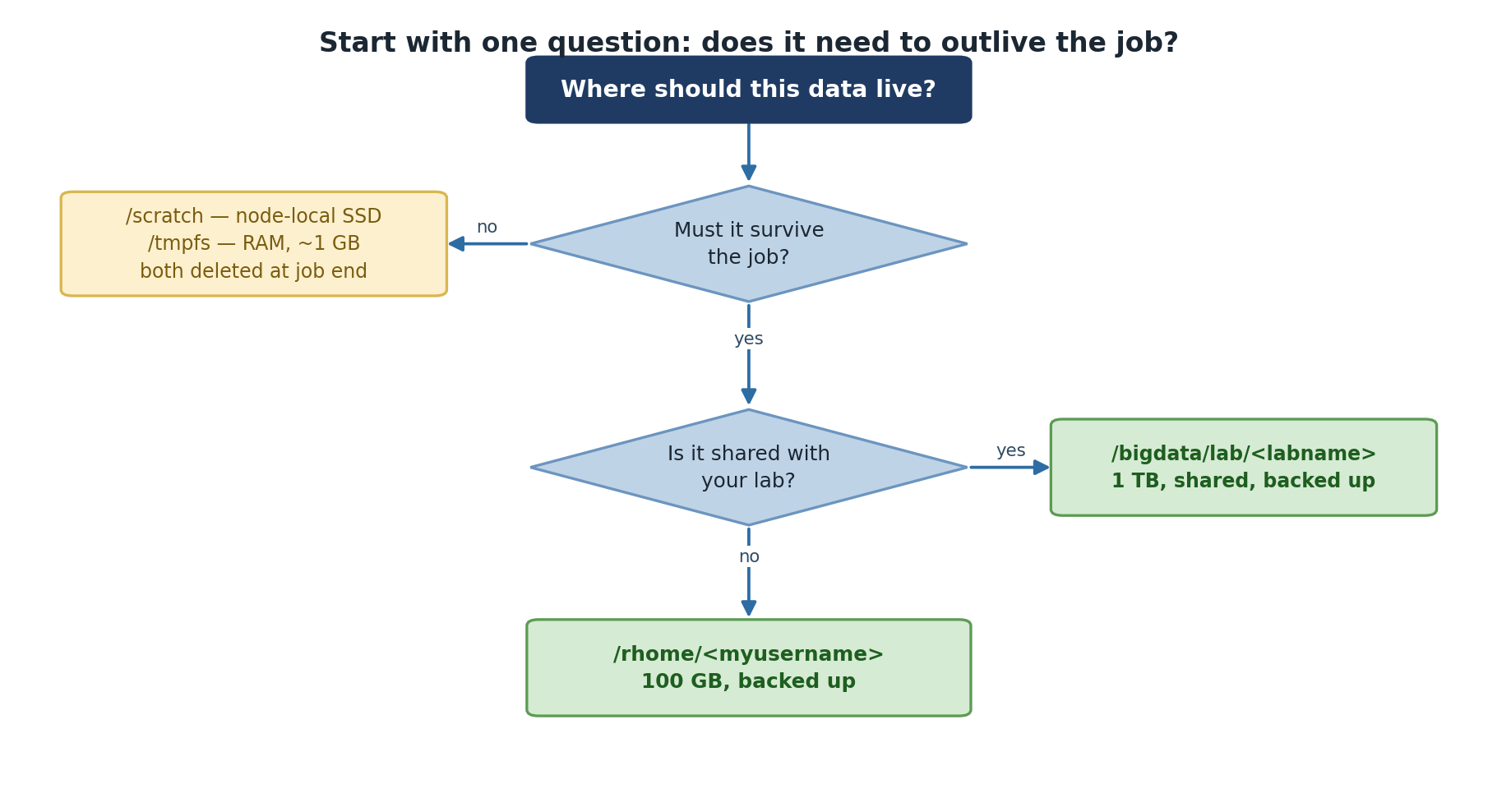
Temporary storage (/scratch and /tmpfs)
does not count against your lab quota.
Using quota_check.sh (Recommended)
Sagehen provides a dedicated script that accounts for BeeGFS:
Real output — a BeeGFS quota table with a GROUP row (your lab’s shared pool) and a User row:
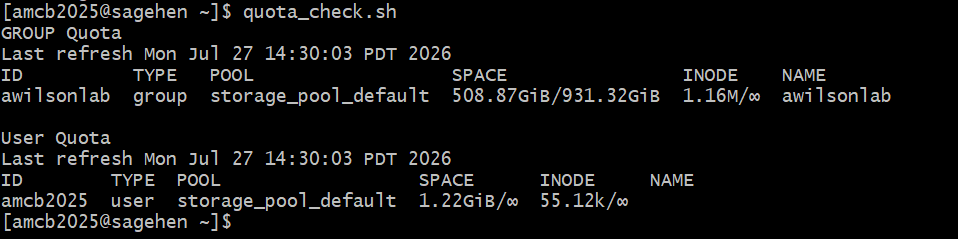
quota_check.sh reports the lab’s
group usage against the shared pool limit, then your per-user usage. The
group limit is what’s enforced.Note the enforcement model: the group (lab) row carries the hard limit on the shared pool; the user row typically shows no separate hard cap.
Using du Correctly on BeeGFS
The du command requires --apparent-size for
accuracy on BeeGFS:
BASH
# Inaccurate (reports block usage)
du -sh /rhome/<myusername>
  Result: 156 GB

# Accurate (reports actual data size)
du -sh --apparent-size /rhome/<myusername>
  Result: 150 GB
Always use du --apparent-size on
Sagehen.
Finding Large Files and Directories
Largest directories:
Largest individual files:
What Happens When You Exceed Quota
At 100% quota, you cannot write new files:
You can still read files, list directories, and run jobs that only read from disk. But you cannot write, modify, or save job outputs.
To request a quota increase, contact its-hpc@pomona.edu with your lab name, justification, specific data size needed, and cleanup timeline.
Challenge: Check Your Quota
- Use
quota_check.shfor official quota monitoring on Sagehen - Always use
du --apparent-sizeon BeeGFS for accurate size measurements - Your lab shares a 1TB quota across all members and both
/rhomeand/bigdata - You cannot write files if quota is exceeded – monitor regularly
- Temporary storage (
/scratch,/tmpfs) does not count against quota