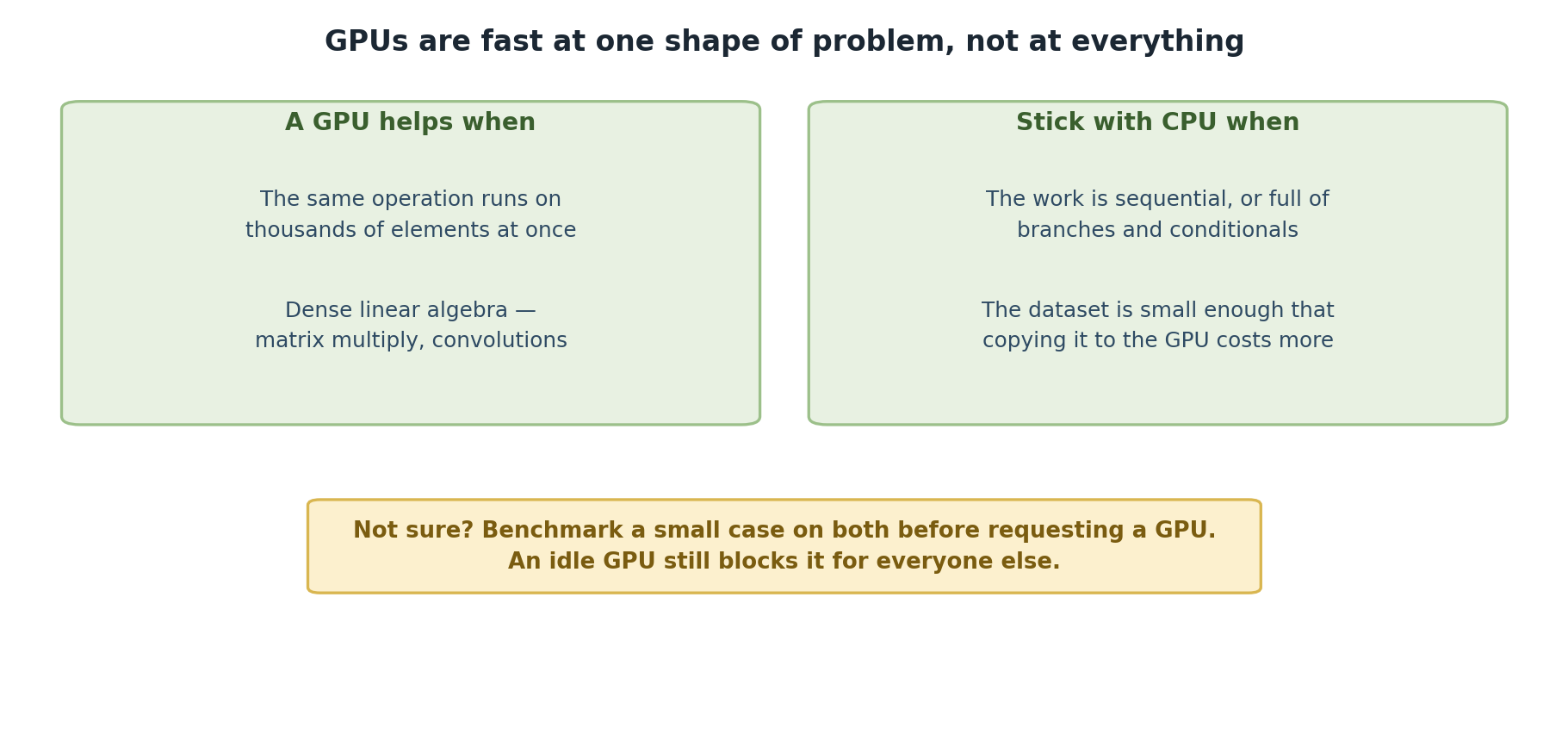
Image 1 of 1: ‘Two panels. A GPU helps when the same operation runs on thousands of elements at once, and for dense linear algebra such as matrix multiplication and convolutions. Stick with CPU when the work is sequential or full of branches and conditionals, or when the dataset is small enough that copying it to the GPU costs more than it saves. A note advises benchmarking a small case on both before requesting a GPU, since an idle GPU still blocks it for everyone else.’
A GPU is fast at one shape of problem, and no
help at all with others.
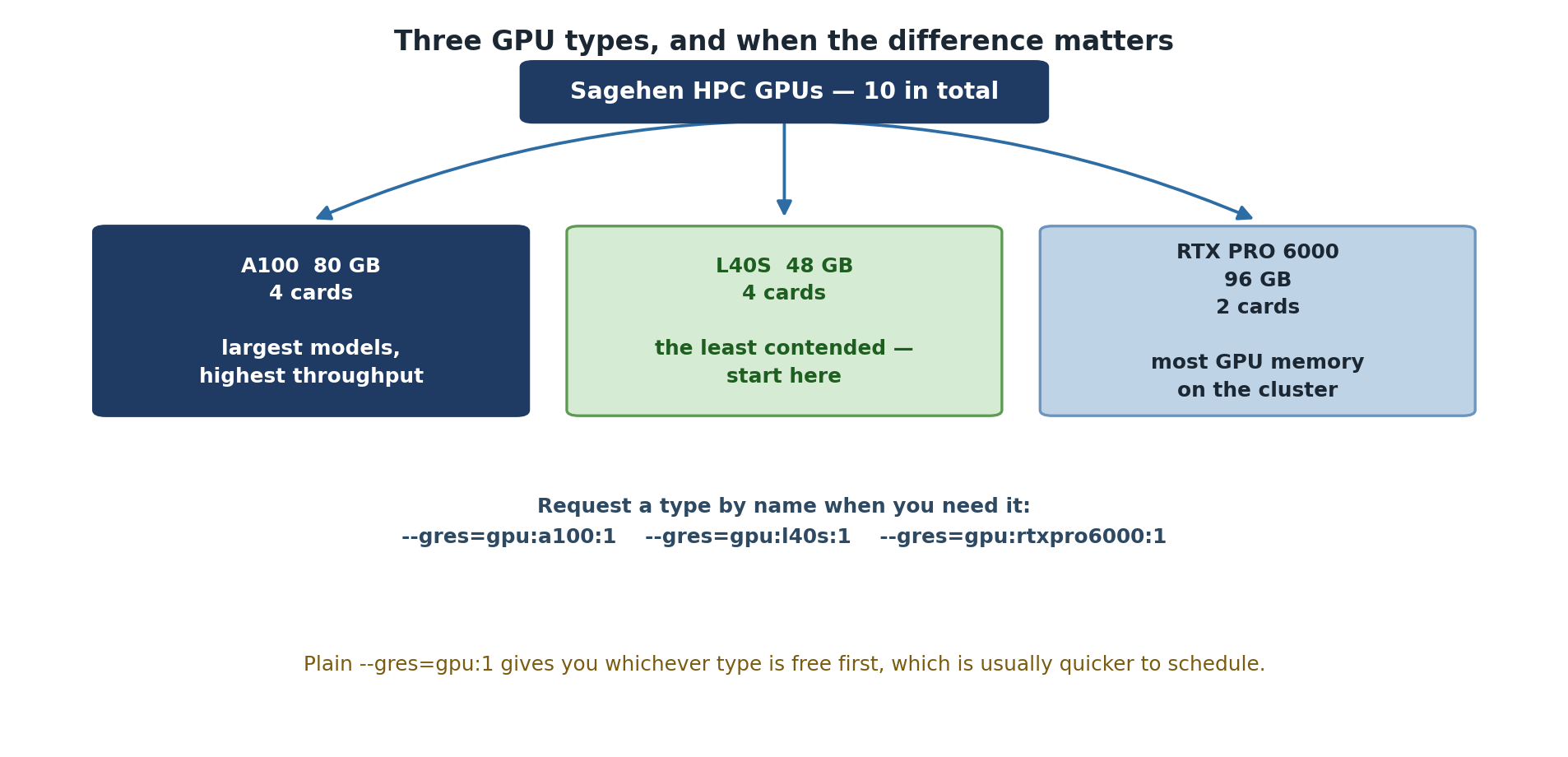
Image 1 of 1: ‘Sagehen HPC has ten GPUs in three types. Four A100 cards with 80 GB, best for the largest models and highest throughput. Four L40S cards with 48 GB, the least contended and the place to start. Two RTX PRO 6000 cards with 96 GB, the most GPU memory on the cluster. A note gives the syntax for requesting a type by name, and observes that a plain --gres=gpu:1 request gives whichever type is free first and is usually quicker to schedule.’
Ten cards, three types, and only two of them are
scarce.
Figure 2
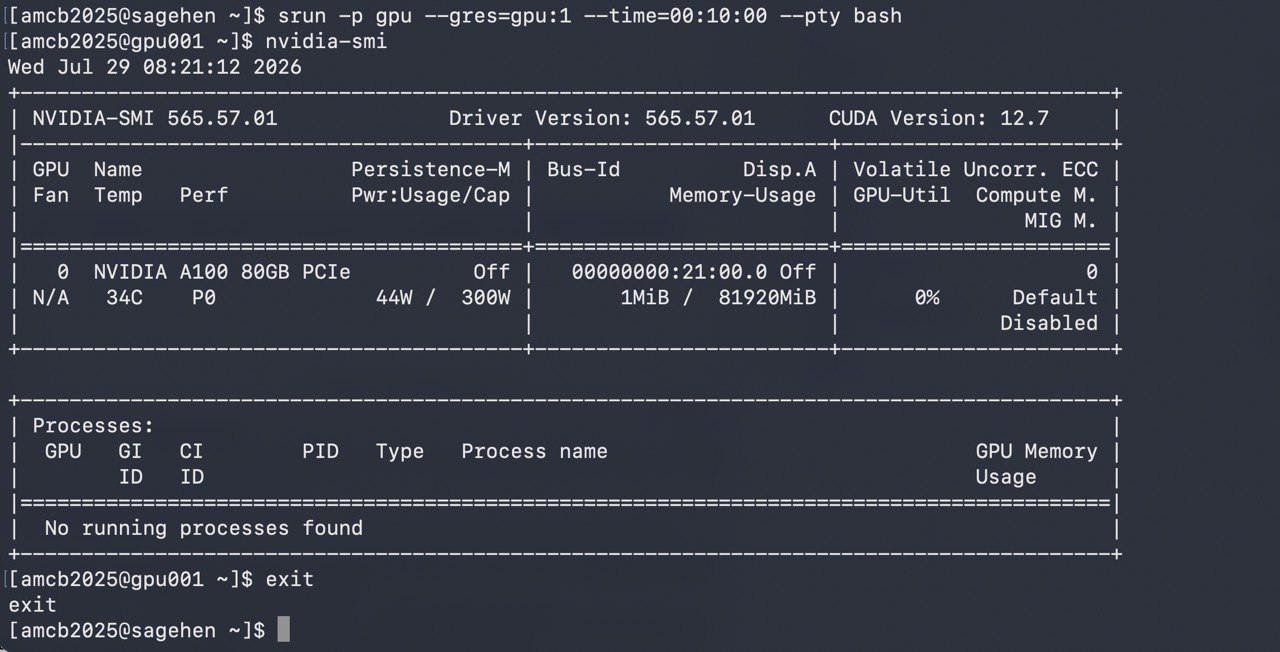
Image 1 of 1: ‘Terminal showing an interactive GPU session requested with srun on the gpu partition. The nvidia-smi table reports one NVIDIA A100 80GB PCIe GPU with almost no memory in use and zero percent utilization, driver version 565.57.01 and CUDA version 12.7, and the user then exits back to the login node.’
An interactive srun session on
gpu001: nvidia-smi confirms the allocated GPU — an A100
80GB PCIe (driver 565.57.01, CUDA 12.7).
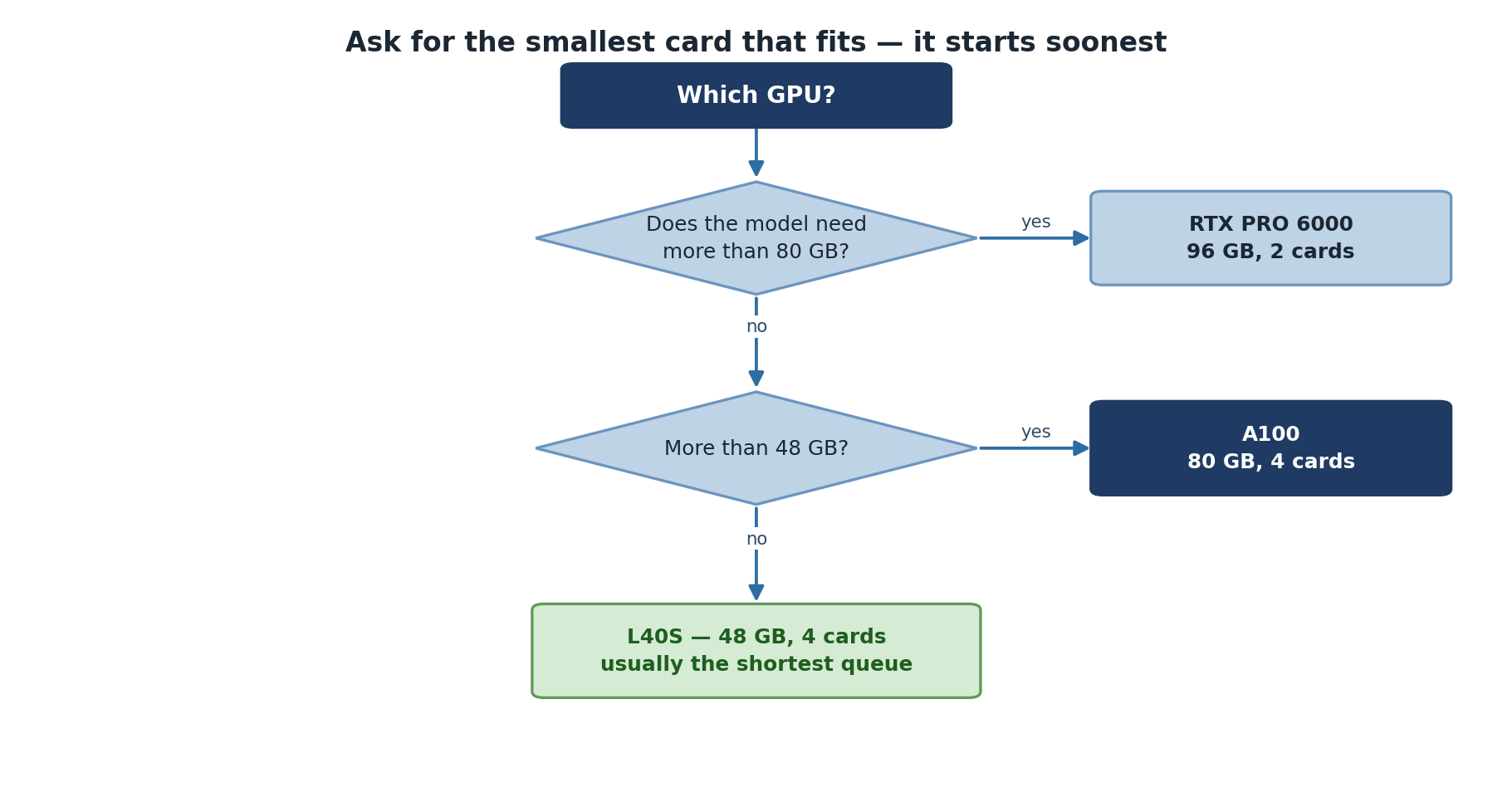
Image 1 of 1: ‘A decision tree for choosing a GPU. If the model needs more than 80 GB, use an RTX PRO 6000 with 96 GB, of which there are two. If it needs more than 48 GB, use an A100 with 80 GB, of which there are four. Otherwise use an L40S with 48 GB, of which there are four and which usually has the shortest queue.’
Two questions about memory settle which card to
ask for.
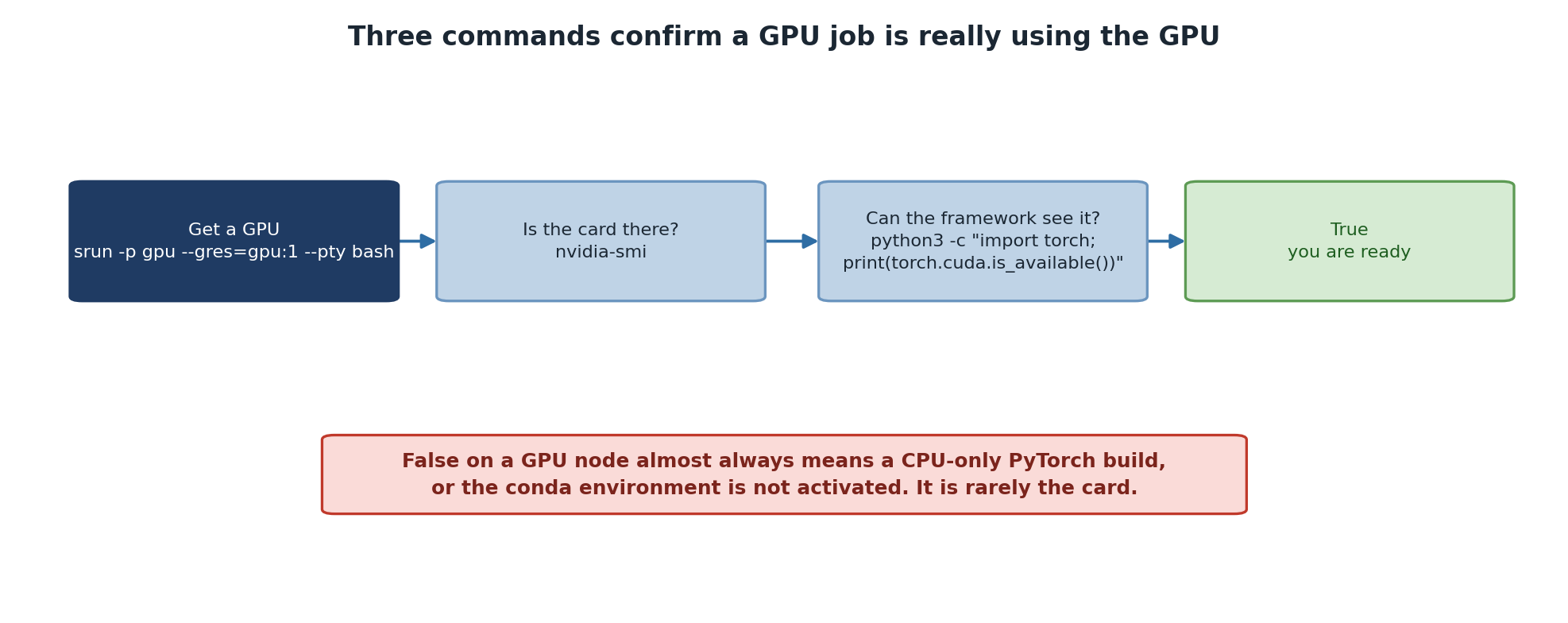
Image 1 of 1: ‘Four steps. Get a GPU with srun on the gpu partition. Check the card is visible with nvidia-smi. Check the framework can see it by printing torch.cuda.is_available(). A True result means you are ready. A warning explains that False on a GPU node almost always means a CPU-only PyTorch build or an unactivated conda environment, rather than a problem with the card.’
Three commands, in order, before you trust a GPU
job.