
What is OnDemand?
Last updated on 2026-08-27 | Edit this page
Estimated time: 20 minutes
Overview
Questions
- What is OnDemand and why use it?
- How does OnDemand differ from SSH?
- What are the benefits for HPC users?
Objectives
- Understand the purpose and benefits of OnDemand
- Learn the difference between OnDemand web interface and command-line SSH access
- Identify use cases where OnDemand is most valuable
Introduction to OnDemand
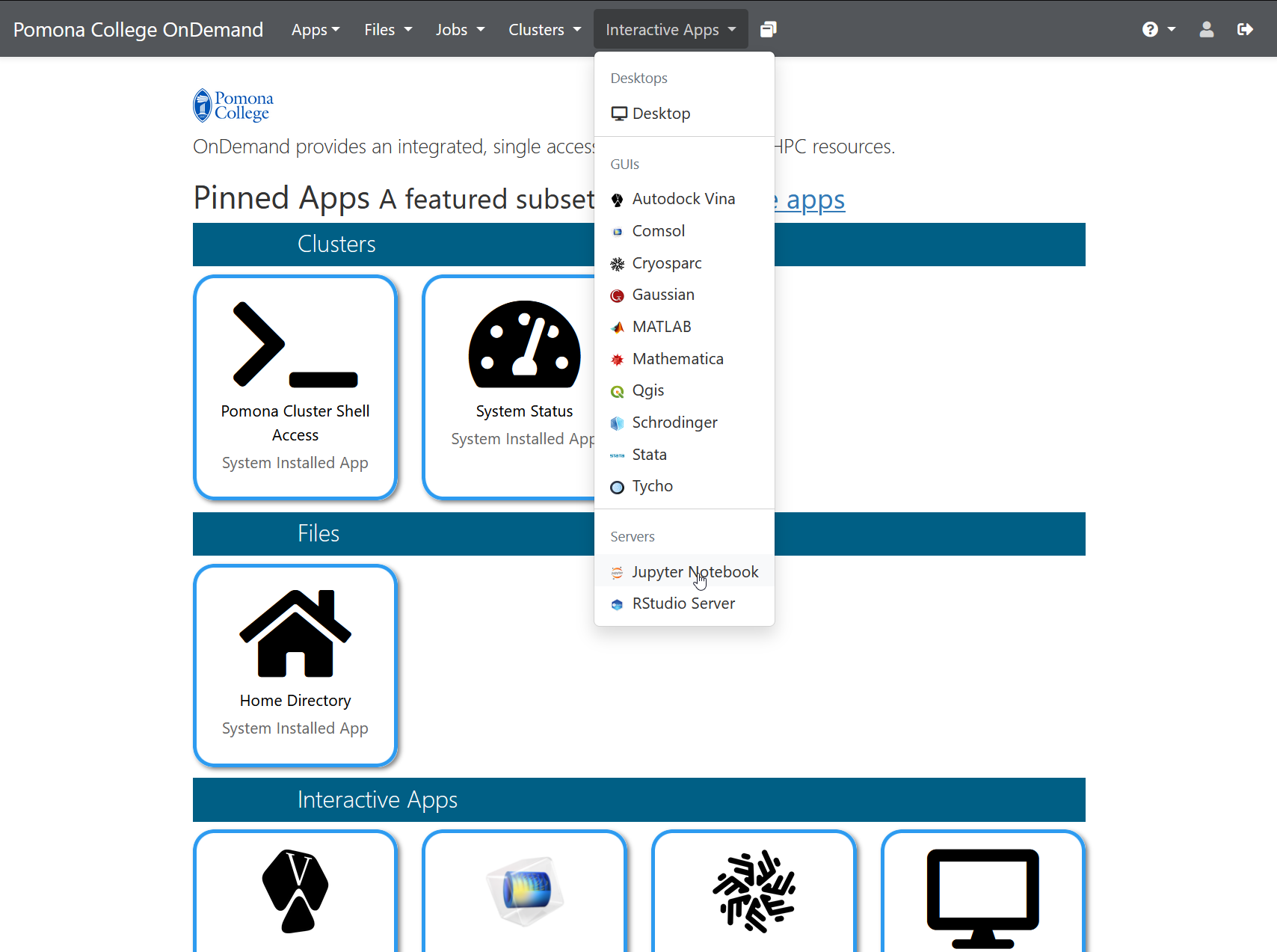
OnDemand is a web-based interface to access and control Sagehen HPC resources without requiring SSH knowledge or specialized terminal software. It provides a graphical dashboard through which you can manage files, submit jobs, monitor computations, and run interactive applications directly from your web browser.
Why Use OnDemand?
OnDemand provides several advantages over traditional SSH access:
- No SSH knowledge required: Access HPC resources through a familiar web browser
- Graphical file manager: Upload, download, and organize files without command-line tools
- Interactive applications: Run Jupyter notebooks, RStudio, and other interactive apps directly
- Job monitoring: Visualize job status and monitor resource usage in real time
- Multiple workspaces: Maintain different computational sessions simultaneously
- Mobile-friendly: Access resources from tablets and laptops with limited terminal capabilities
Perfect for Beginners
OnDemand is ideal if you’re new to HPC and prefer graphical interfaces. You can accomplish most common tasks without learning command-line tools. Point, click, and go!
OnDemand vs SSH Access
While SSH remains powerful for advanced users, OnDemand complements it by offering:
| Feature | OnDemand | SSH |
|---|---|---|
| Learning curve | Low | Steep |
| File management | Graphical | Command-line |
| Interactive apps | Direct support | Manual setup |
| Job submission | Web form | Script writing |
| Device compatibility | All browsers | Terminal only |
Accessing OnDemand
OnDemand at Pomona College is available at:
https://ondemand.hpc.pomona.edu/Access requires: - Valid Pomona College credentials - DUO Multi-Factor Authentication (MFA) - Active HPC account approved by your PI
What You Can Do in OnDemand
File Management
- Browse your home directory
(
/rhome/<myusername>) - Manage research data in /bigdata
- Upload and download files
- Create new directories
- Edit text files
Job Submission
- Submit batch jobs without writing SLURM scripts
- Monitor job progress
- View job output in real-time
- Cancel running jobs
Interactive Applications
- Launch Jupyter notebooks with GPU support
- Start RStudio for statistical computing
- Access web terminals for command-line work
- Run custom interactive applications
System Resources
- Check CPU and memory availability
- Monitor cluster status
- View node information
- Track quota usage
Important: Authentication Required
You’ll need valid Pomona College credentials and DUO Multi-Factor Authentication to access OnDemand. Ensure your HPC account is active before attempting to log in. Contact its-hpc@pomona.edu if you have access issues.
Challenge: Explore the Concept
Consider your typical workflow on Sagehen. Which tasks would benefit most from using OnDemand instead of SSH? Think about: 1. File management tasks 2. Data exploration work 3. Interactive development 4. Batch processing
There is no single correct answer, but common answers include: - File management: OnDemand is superior for uploading large datasets or browsing files - Data exploration: Jupyter notebooks through OnDemand are ideal for exploratory analysis - Learning: Beginners benefit from OnDemand’s graphical interface - Multiple tasks: OnDemand allows running several applications simultaneously in separate browser tabs - Mobile/remote: OnDemand works anywhere you have internet and a browser
Next Steps
Now that you understand what OnDemand offers, let’s explore the dashboard and learn to navigate its features.
- OnDemand is a web-based interface for accessing Sagehen HPC resources
- It requires no SSH knowledge and works in any modern web browser
- OnDemand is ideal for file management, interactive computing, and job monitoring
- Pomona’s OnDemand is available at https://ondemand.hpc.pomona.edu/
- OnDemand complements SSH access rather than replacing it