
Monitoring Running Jobs
Last updated on 2026-08-27 | Edit this page
Overview
Questions
- How do I monitor what my job is doing?
- How do I check the history of completed jobs?
- How efficient was my job? Did I waste resources?
Objectives
- Master
squeuefor real-time job status - Use
sacctto analyze completed job history - Use
seffto evaluate job efficiency - Monitor node resources with
free,top, andnvidia-smi
The Job Lifecycle
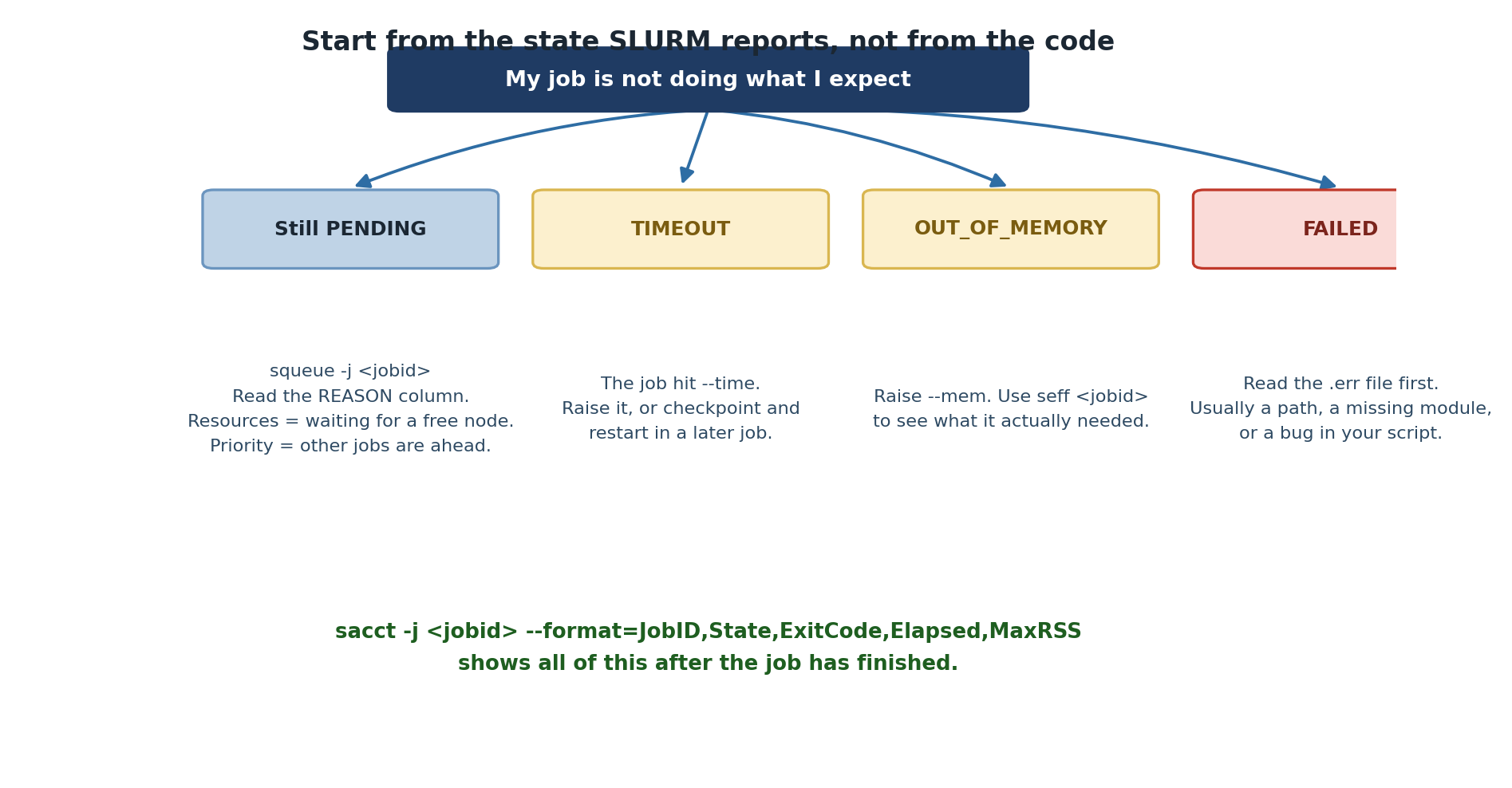
Every SLURM job moves through states:
SUBMITTED -> PENDING -> RUNNING -> COMPLETED/FAILED/CANCELLEDViewing Jobs with squeue

Job History with sacct
After a job finishes, squeue no longer shows it. Use
sacct:
BASH
# Recent completed jobs
sacct -u $USER

# Detailed format
sacct -u $USER --format=jobid,jobname,state,elapsed,exitcode,maxrss

# Failed jobs only
sacct -u $USER --state=FAILED

# Jobs from a specific date
sacct -u $USER --starttime=2026-03-04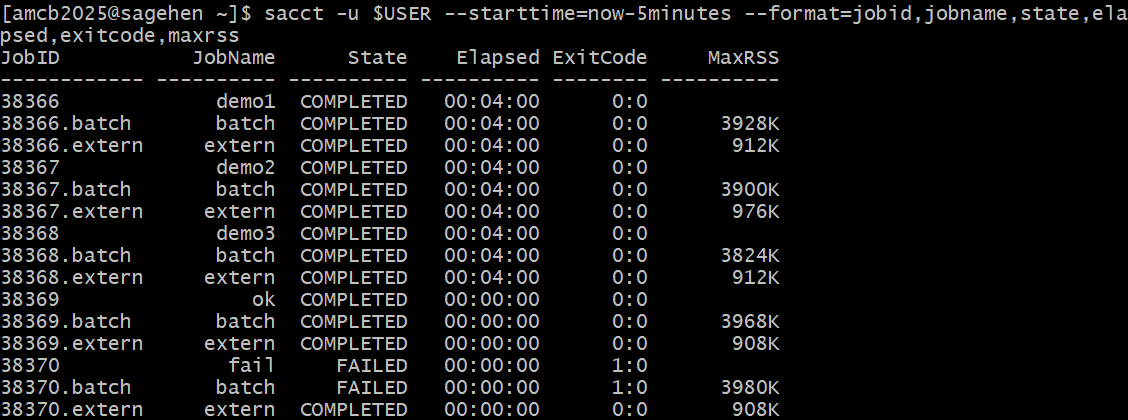
sacct history with exit codes:
completed jobs show 0:0, the deliberately failing job shows
FAILED 1:0 (this run added
--starttime=now-5minutes to narrow the window).Job Efficiency with seff
seff shows whether you wasted resources:
Output:
Job ID: 12345
State: COMPLETED (exit code 0)
Cores: 4
Job Wall-clock time: 01:22:45
  Percent of CPUs in use: 100.0%
Memory Requested: 16.00 GB
Memory Used: 2.34 GB
Percent of Memory in use: 14.6%Interpreting: - CPU usage near 100% = good match - CPU usage below 50% = request fewer cores next time - Memory usage near 100% = request more next time - Memory usage below 20% = request less next time
Monitoring Nodes Directly
If you SSH to the compute node running your job:
BASH
ssh a005           # Connect to the node
free -h            # Memory usage
top                # CPU usage (press q to exit)
nvidia-smi         # GPU usage (on GPU nodes)
logout # Return to head nodeDisk Usage on BeeGFS
Use quota_check.sh to check storage usage on Sagehen
HPC’s BeeGFS filesystem. The standard du command does not
work correctly for quota checks.
Challenge 1: Monitor and Analyze a Job
The job runs for 30 seconds then completes. sacct shows
STATE=COMPLETED with exit code 0:0. seff shows low
efficiency because we requested 2 cores but sleep only uses
1 thread. Real compute jobs should have much better efficiency.
- Use
squeuefor real-time job status andwatchfor continuous monitoring - Use
sacctto view completed job history and exit codes - Use
seffto analyze resource efficiency and adjust future requests - Exit code 0 = success, 138 = timeout, 143 = cancelled
- Monitor nodes with
free -h,top, andnvidia-smi - Use
quota_check.shfor BeeGFS storage usage (notdu)