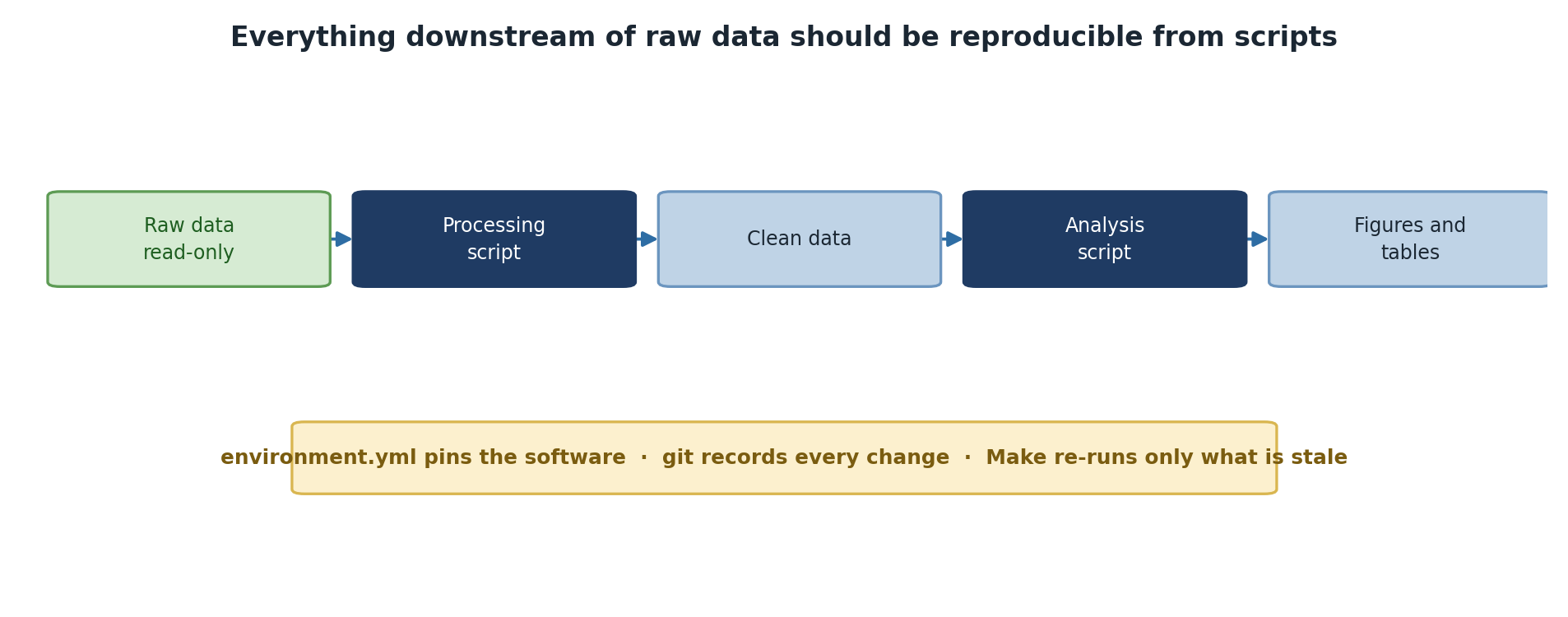
Image 1 of 1: ‘A pipeline from read-only raw data through a processing script to clean data, then an analysis script producing figures and tables. Underneath, a note that environment.yml pins the software, git records every change, and Make re-runs only what has gone stale.’
Everything downstream of raw data should come
back from the scripts.
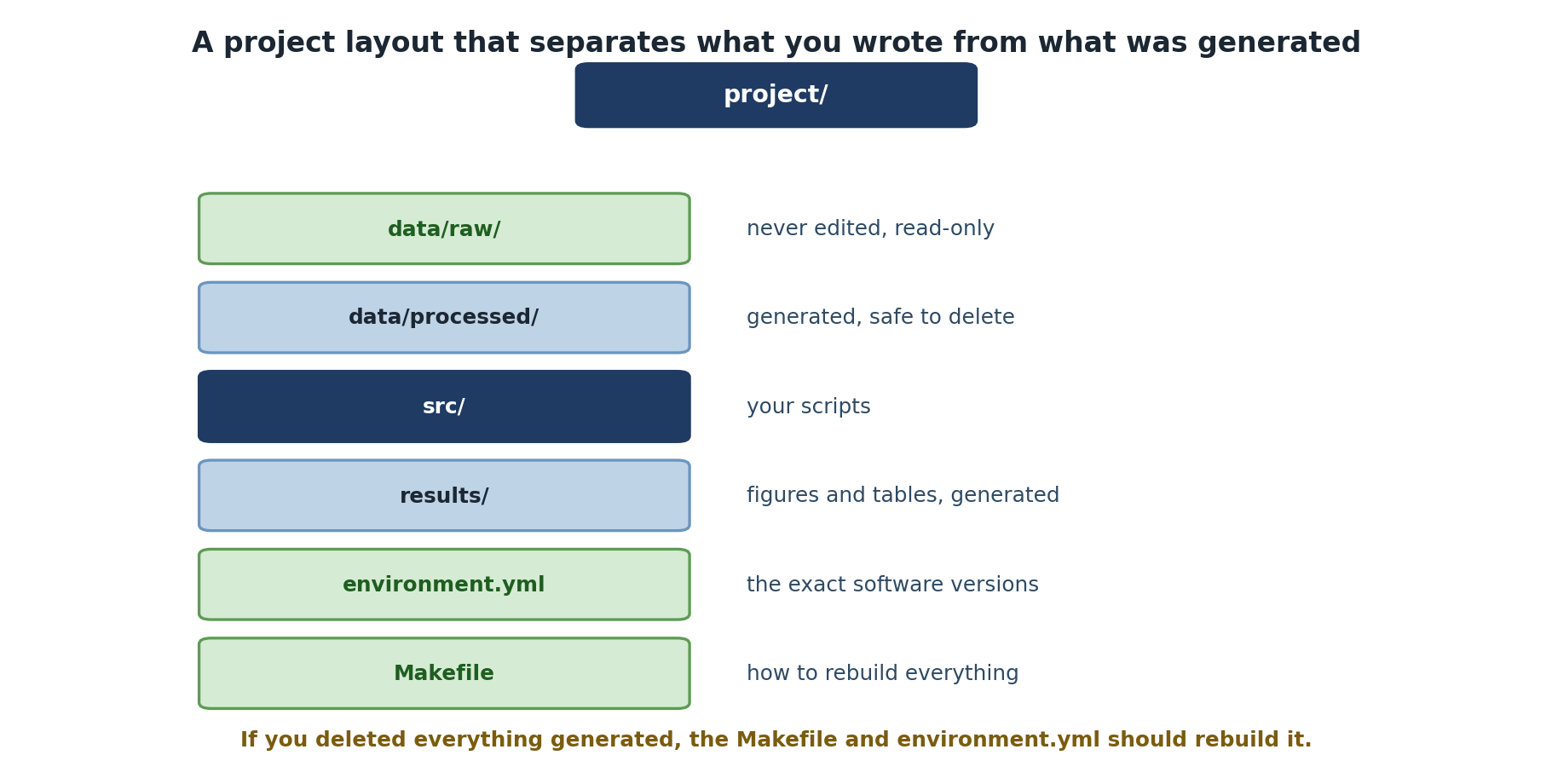
Image 1 of 1: ‘A project directory layout. data/raw is never edited and kept read-only. data/processed is generated and safe to delete. src holds your scripts. results holds generated figures and tables. environment.yml records the exact software versions and the Makefile records how to rebuild everything. A note says that if you deleted everything generated, the Makefile and environment.yml should be able to rebuild it.’
The layout tells you what is safe to delete and
what is not.
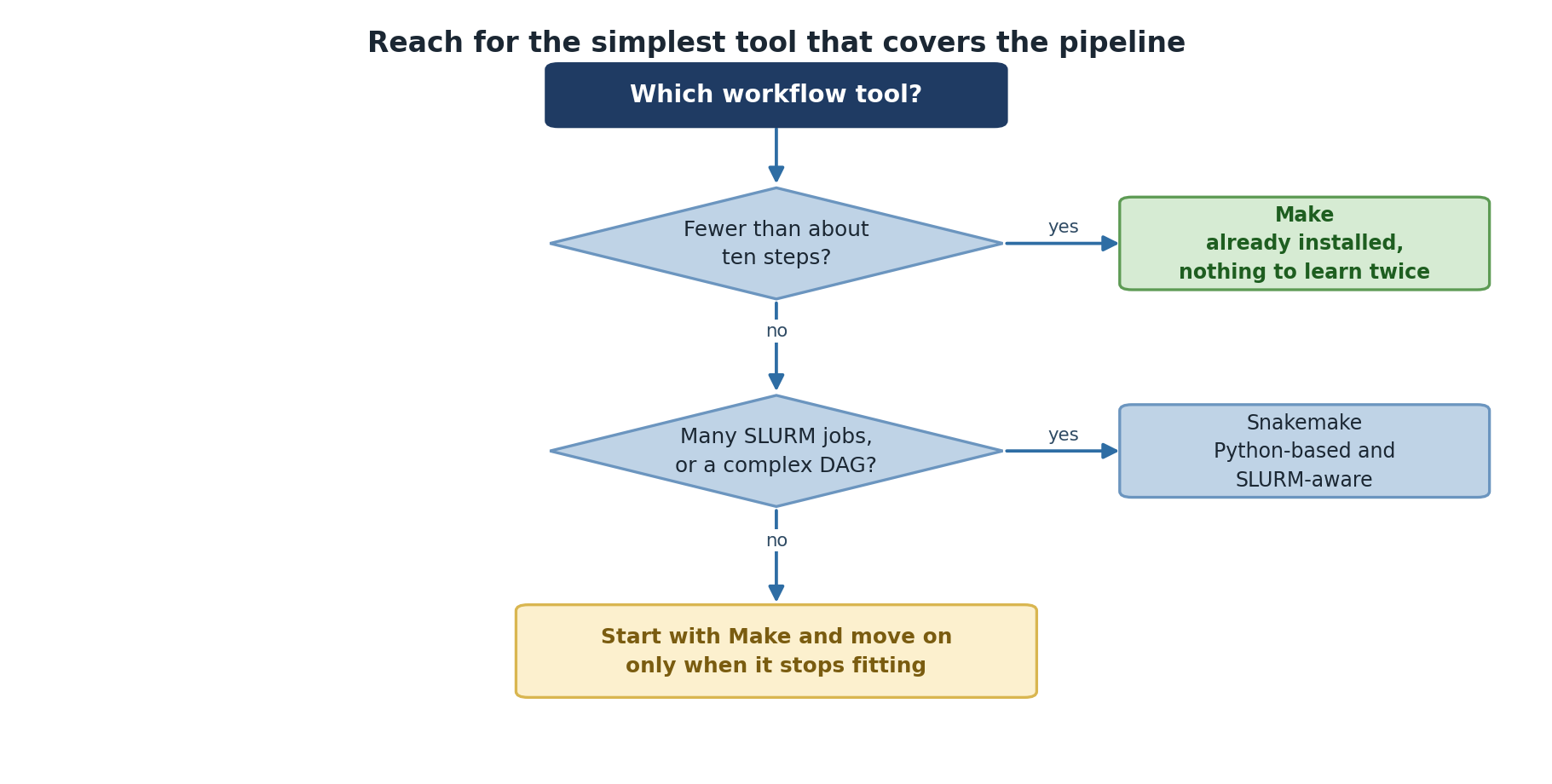
Image 1 of 1: ‘A decision tree for choosing a workflow tool. If the pipeline has fewer than about ten steps, use Make, which is already installed. If it involves many SLURM jobs or a complex dependency graph, use Snakemake, which is Python-based and SLURM-aware. Otherwise start with Make and move on only when it stops fitting.’
Start with Make; move on only when it stops
fitting.
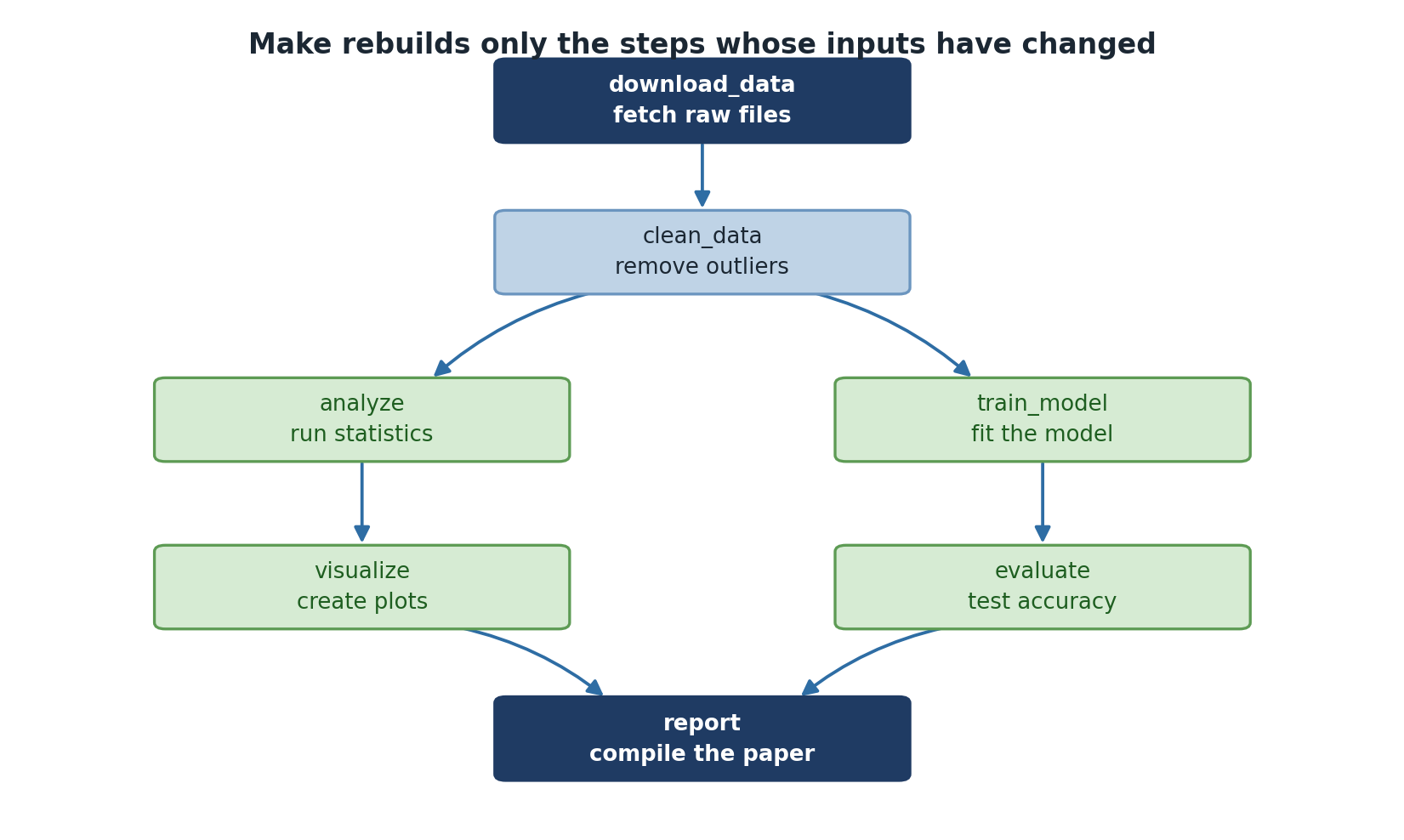
Image 1 of 1: ‘A dependency graph. download_data fetches raw files, clean_data removes outliers, and the pipeline then splits into analyze which runs statistics and train_model which fits the model. Those lead to visualize which creates plots and evaluate which tests accuracy, and both feed into report, which compiles the paper.’
Make works out which steps are stale and re-runs
only those.
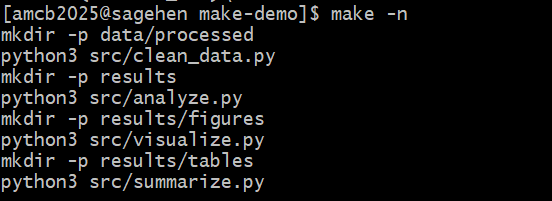
Image 1 of 1: ‘Terminal in a make-demo directory on Sagehen HPC where make -n has been run. The dry-run output lists mkdir and python3 commands for four pipeline stages: cleaning data, analysis, figure generation, and table generation.’
make -n on Sagehen HPC previews
every command in the four-stage pipeline without running anything.
Image 1 of 1: ‘Terminal on Sagehen showing three sbatch submissions where each job ID is captured into a shell variable and the next job depends on it via afterok. The squeue output lists one job running as step1 on node a005 in the amd partition, while two jobs are pending with reason Dependency.’
The scripts’ SBATCH headers don’t set --partition, so all
three jobs land on amd – Sagehen’s default partition. Add
--partition=short (or gpu) when a step needs a
different one. Steps 2 and 3 show PD (pending) with reason
(Dependency) until their prerequisite job finishes
successfully.

 The scripts’ SBATCH headers don’t set